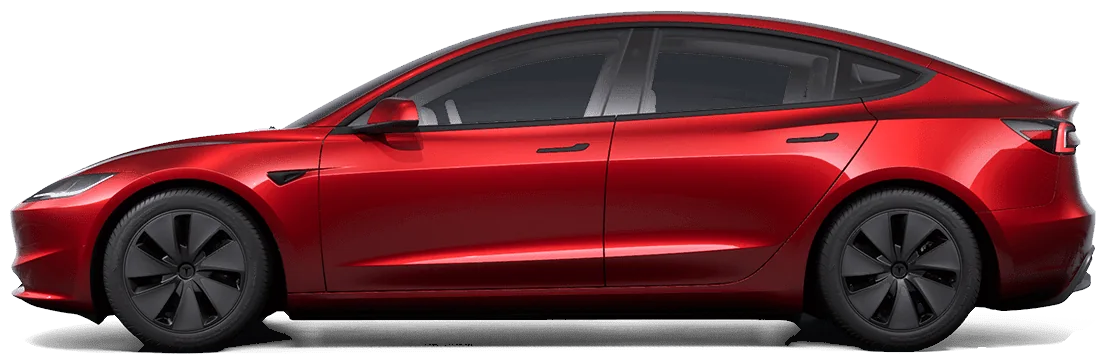
How much drain is normal?
Tesla's support pages say a Tesla is expected to use around 1% of charge per day while parked, and that the rate varies with cold weather, vehicle configuration and your settings. On a 75 kWh pack that is about 0.75 kWh a day, or roughly 2–3 miles of range.
| Situation | Typical loss per day | Where the number comes from |
|---|---|---|
| Parked, asleep, Sentry off | About 1% | Tesla support guidance |
| Sentry Mode on all day | About 4–14% | Owner and press measurements (Electrek, Not a Tesla App); Tesla doesn't publish a figure |
| First cold night | A one-off drop of a few % | Cold pack; the displayed charge recovers as the battery warms |
The usual causes
- Sentry Mode. The cameras and computer stay on. Tesla has cut its power use in software updates, but it's still the largest parked load.
- Something keeps waking the car. Opening the Tesla app, third-party apps that poll the car, and phone-key checks can all wake it. A car that never sleeps loses several percent a day.
- Cabin Overheat Protection, Keep Climate On, Dog and Camp Mode. These run HVAC while parked.
- Cold weather. The battery may heat itself, and a cold pack shows a lower state of charge.
- Keep Accessory Power On and connected USB devices like dashcam drives.
Measure your own drain
- Park with Sentry and climate features off. Note battery % and the time.
- Don't open the Tesla app for 24 hours (it can wake the car).
- Check again. Loss ÷ days = your drain per day. Repeat with Sentry on to see its cost.
Battery % over a parked weekend
Example car, Sentry on Saturday only
How to reduce phantom drain
- Use Sentry where it matters. Exclude Home (and Work) in the Sentry settings instead of running it everywhere.
- Low Power Mode (added in software update 2025.32 per Not a Tesla App) turns off Sentry, accessory power and other parked loads below a threshold you set, and can be switched on from Quick Controls before a trip.
- Turn off Cabin Overheat Protection, or set it to “No A/C” (fan only) if you don't need it.
- Audit connected apps. Remove third-party apps you no longer use from your Tesla account's third-party app list. Apps that poll every few minutes keep the car awake.
- Plug in for long stays. Tesla recommends leaving the car plugged in when you're not using it.
Ask AI where your charge went
AskMyEV is designed not to cause drain: it reads saved data while the car sleeps and only wakes it when you ask (capped at 3 wakes a day). On paid plans it keeps a history log, so your AI can compare battery % before and after parking.
 ChatGPT · AskMyEV connectorExample
Sentry Mode was on the whole time and the car stayed awake, which explains most of it: about 5% a day versus 1% normally.
Next trip, turn on Low Power Mode before you leave, or exclude long-term parking from Sentry.
Sources
- Tesla Support: Range tips (about 1% of charge per day while parked)
- Electrek: Tesla works to cut Sentry Mode power use by ~40% (2024)
- Not a Tesla App: Low Power Mode and everything it does
Checked October 12, 2026. Prices and software features change; confirm on Tesla's site or in your car.
Frequently asked questions
How much should a Tesla lose overnight?
About 1% per day while parked and asleep, per Tesla. A larger first-night drop in cold weather is usually the cold pack and recovers as it warms.
Does Sentry Mode drain the battery?
Yes, it's the biggest parked load. Measurements range from about 4% to 14% per day depending on the car and software. It turns off automatically at 20% battery.
Do third-party apps cause phantom drain?
They can, if they poll or wake the car often. AskMyEV never wakes the car on its own; it only wakes it when you ask, up to 3 times a day.
Is phantom drain bad for the battery?
Not by itself. It just costs range and a little money. Plug in for long stays and avoid leaving the car near 0%.
Ask your own Tesla, in the AI you already use
Read-only, set up in about two minutes. Free one-time health check with no card, or a 30-day free trial. Then $4.99/mo or $39/yr.
 Add to Claude
 Add to Grok