The screens, in order
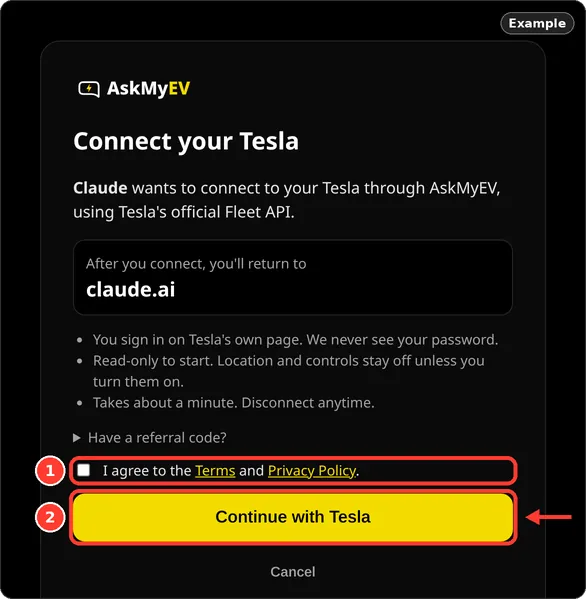
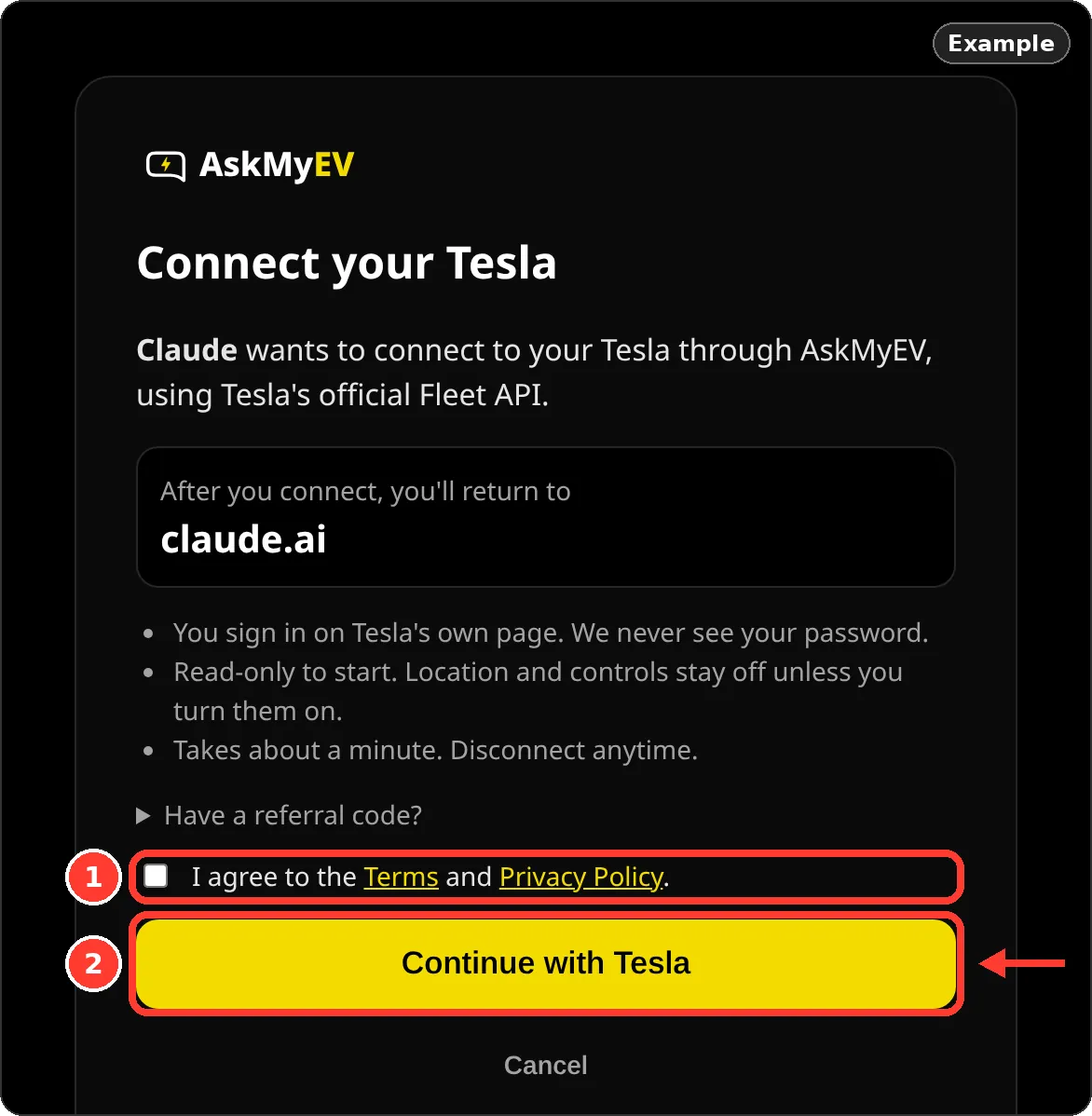
- Connect your Tesla. Your AI app opens this screen. It shows the app you'll return to (if it isn't ChatGPT, Claude or Grok, it warns you). Tick I agree to the Terms and Privacy Policy and tap Continue with Tesla. Cancel goes back without connecting.
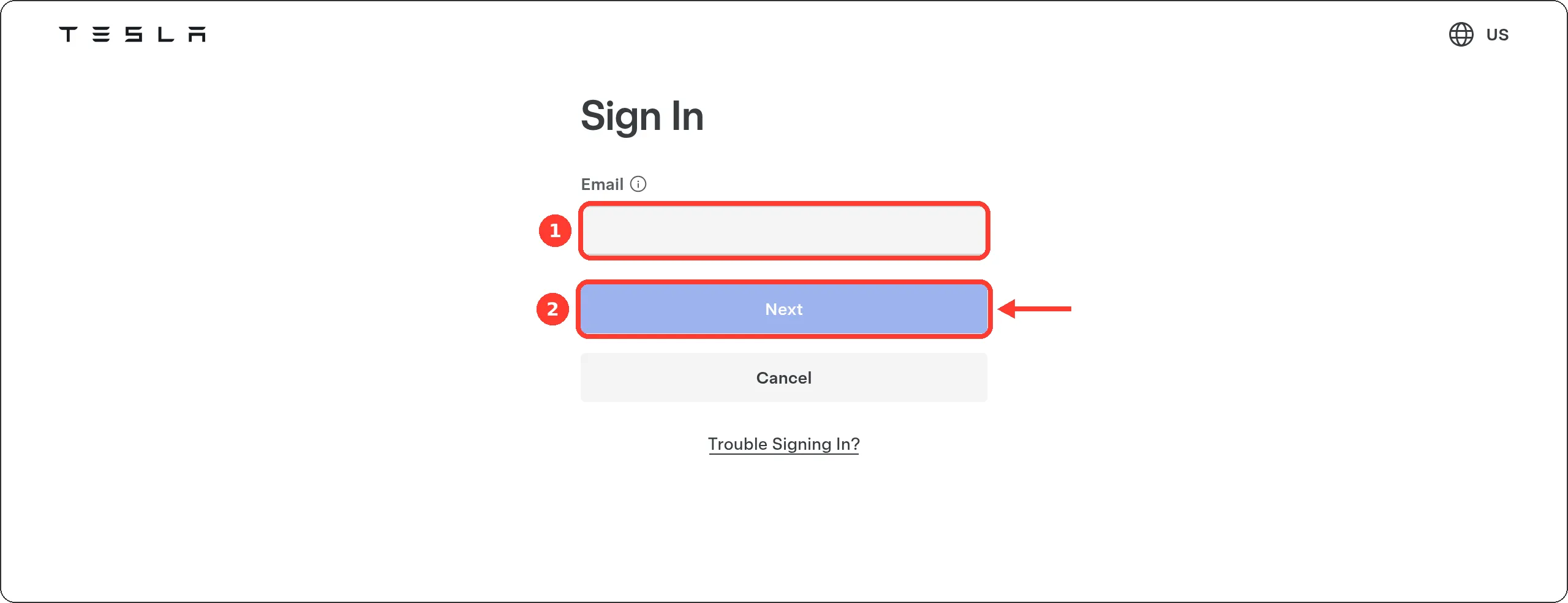
Example screen from a test account. - Sign in with Tesla and allow read access. Tesla's sign-in page opens (auth.tesla.com). Enter your email and password, and your two-step code if Tesla asks. Tesla then lists what AskMyEV asks for: Profile Information, Vehicle Information and Energy Product Information, plus staying signed in. That's read-only. Location and car controls aren't requested here. Leave Vehicle Information checked and approve. If you uncheck it, AskMyEV asks you to reconnect with it checked.
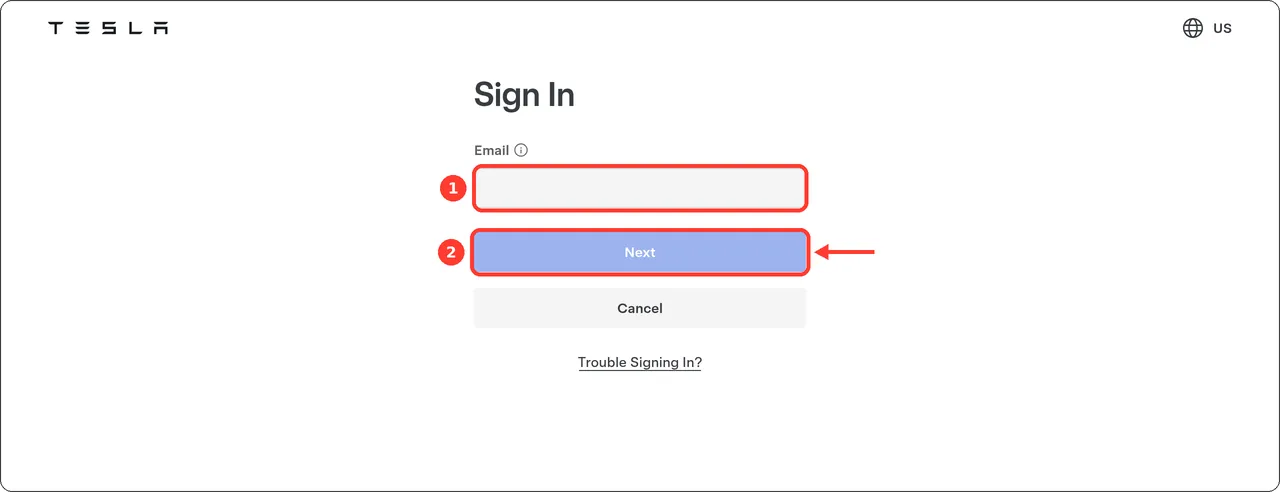
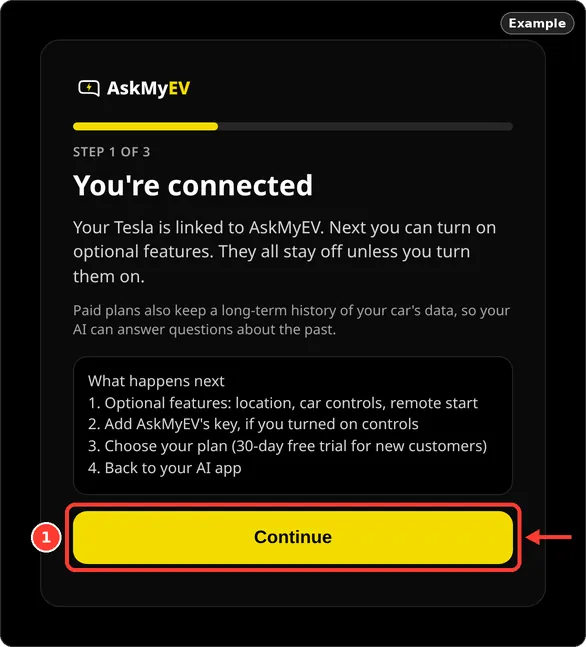
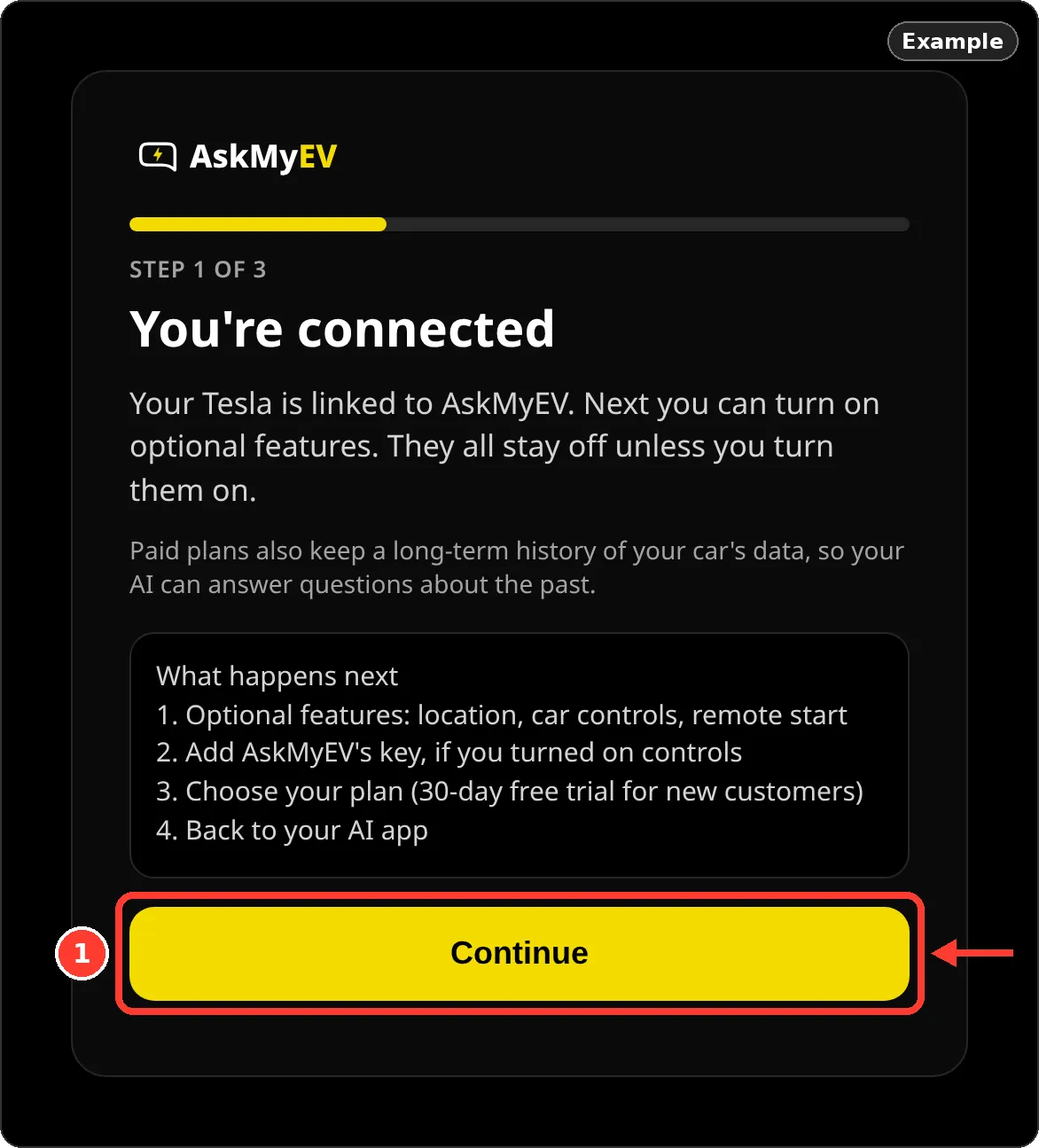
Tesla's page (tesla.com), screenshot October 2026. Tesla's permission screen needs a real Tesla account, so it isn't shown. - You're connected. AskMyEV lists what comes next. Tap Continue.
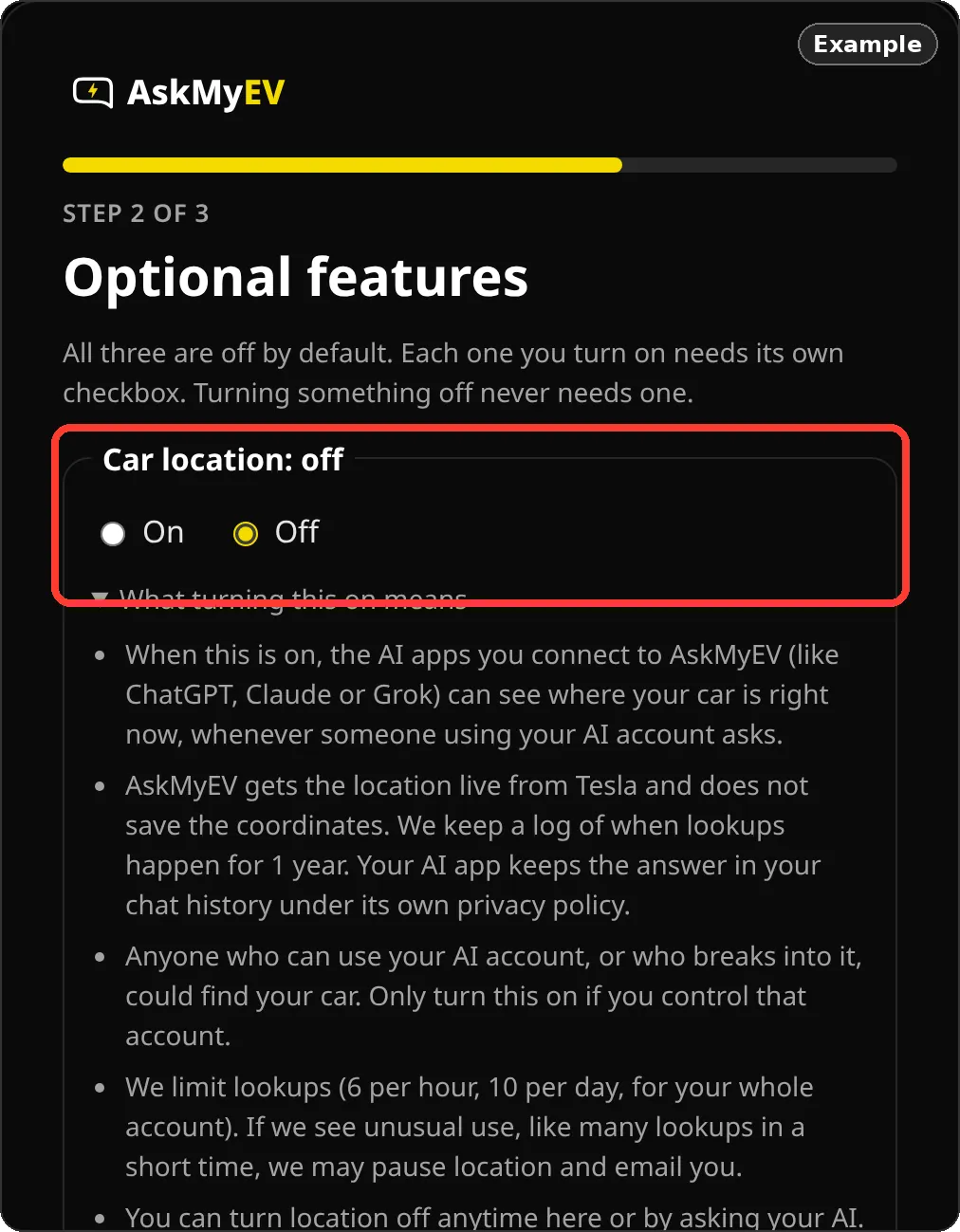
Example screen from a test account. - Optional features. Car location, Car controls and Remote start are all off. Read what each one does. To turn one on, choose On and tick its box. Leave them off if you only want to ask questions. Tap Save and continue.
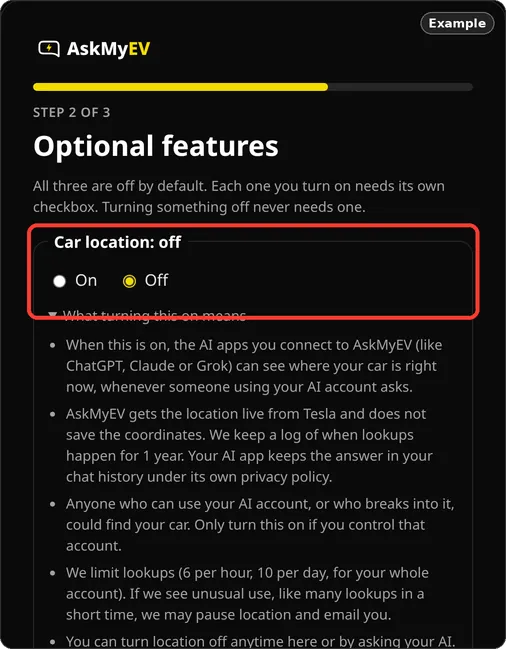
Example screen from a test account. 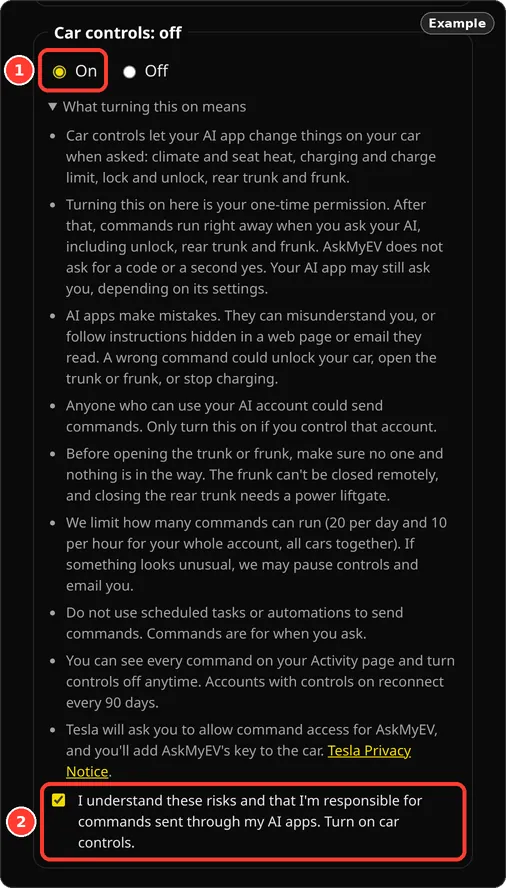
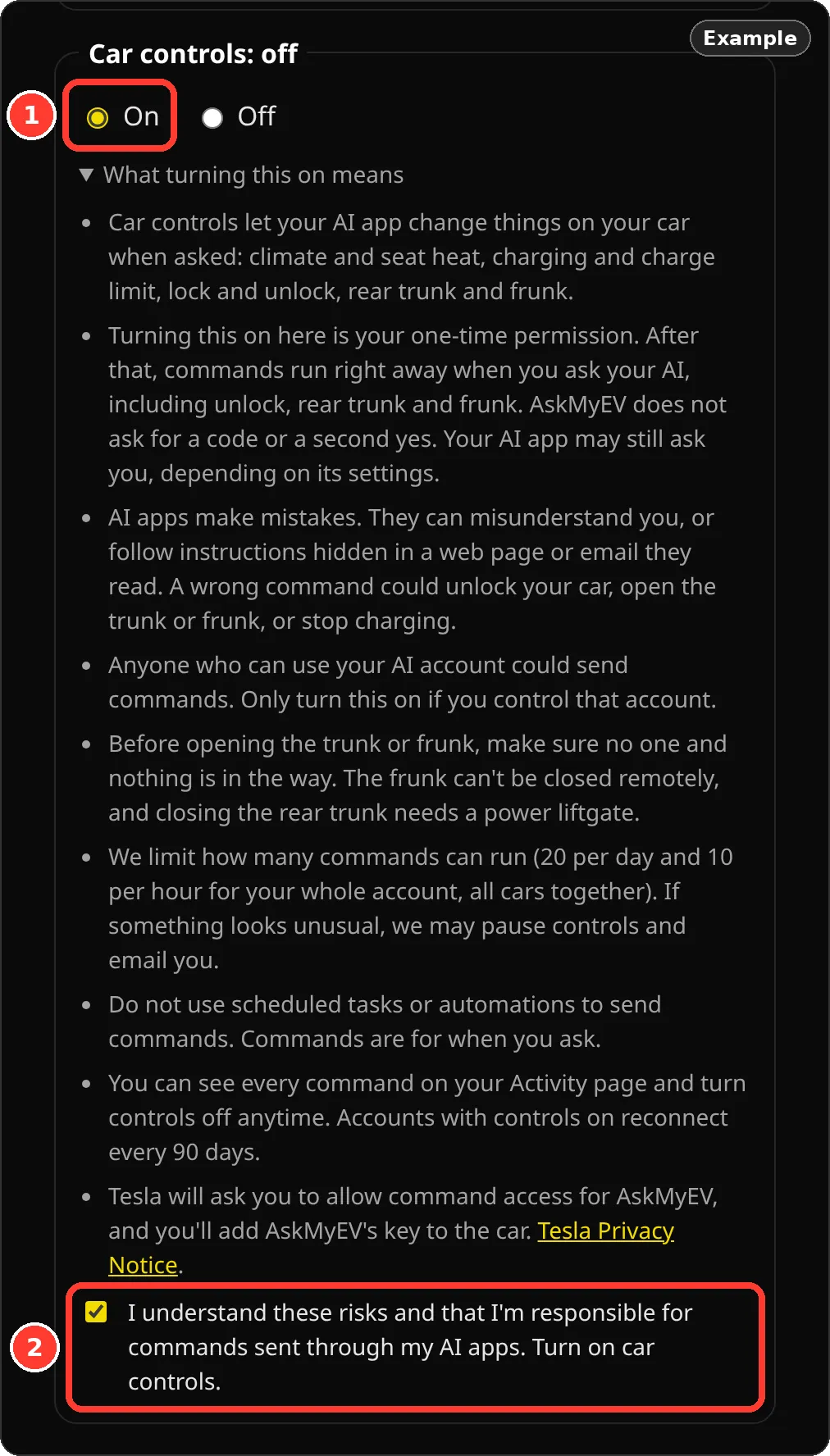
Example: car controls turned on. Remote start needs car controls on. - Tesla asks once more (only if you turned something on). Each feature needs one more Tesla permission: Car location adds Vehicle Location; Car controls adds Vehicle Commands and Vehicle Charging Management. Tesla's page opens again; leave the new permission checked and approve. If you don't, that feature stays off and you can save without it. Features can only be turned on within an hour of signing in with Tesla; after that, save with them off and turn them on from your Account page.
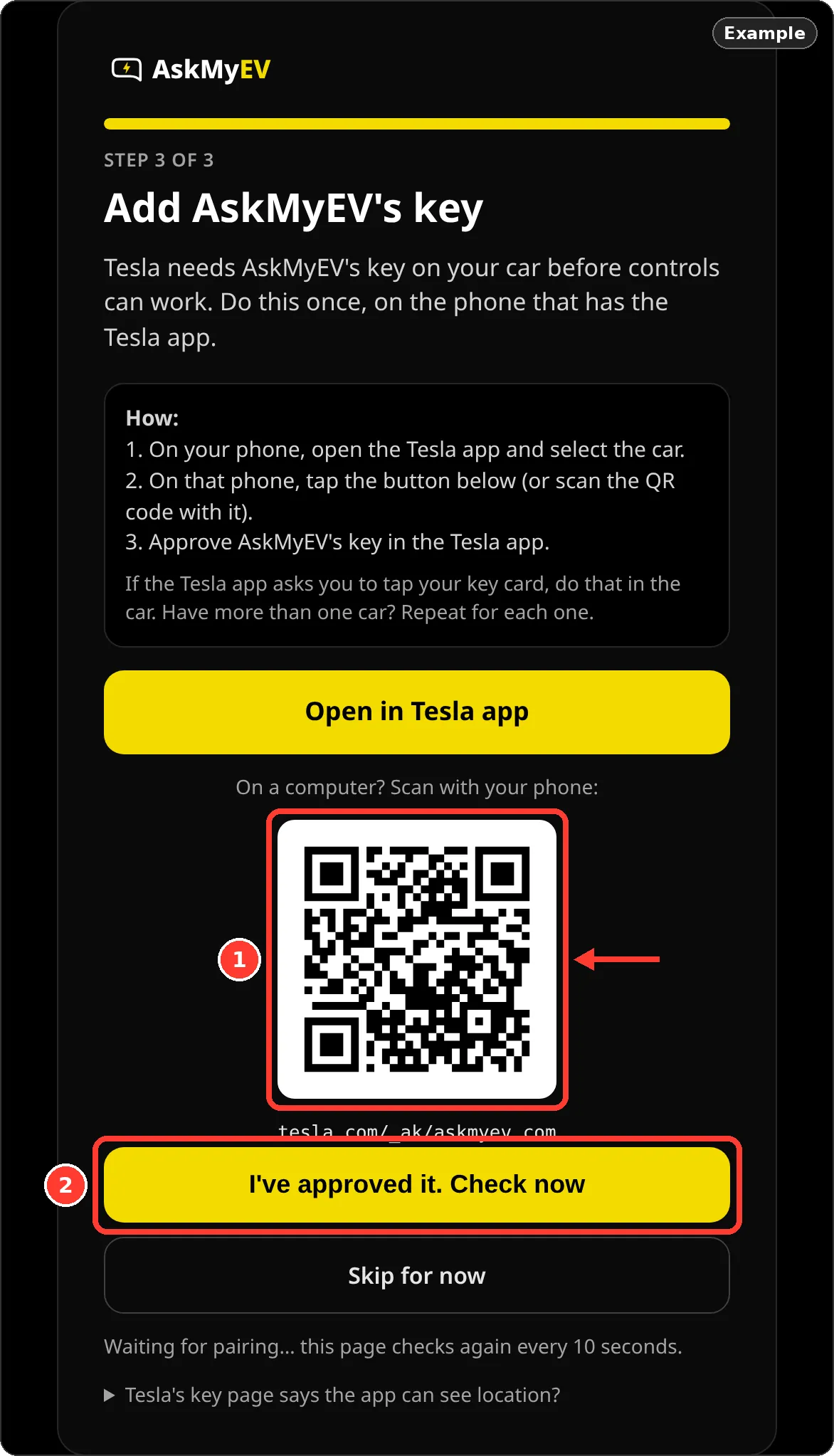
- Add AskMyEV's key (only with car controls). Tesla needs AskMyEV's key on each car before controls work. Open the Tesla app on your phone, select the car, tap Open in Tesla app (or scan the QR code with that phone) and approve the key in the Tesla app. The page checks every 10 seconds. You can also Skip for now and do it later from your Account page. Full key guide.
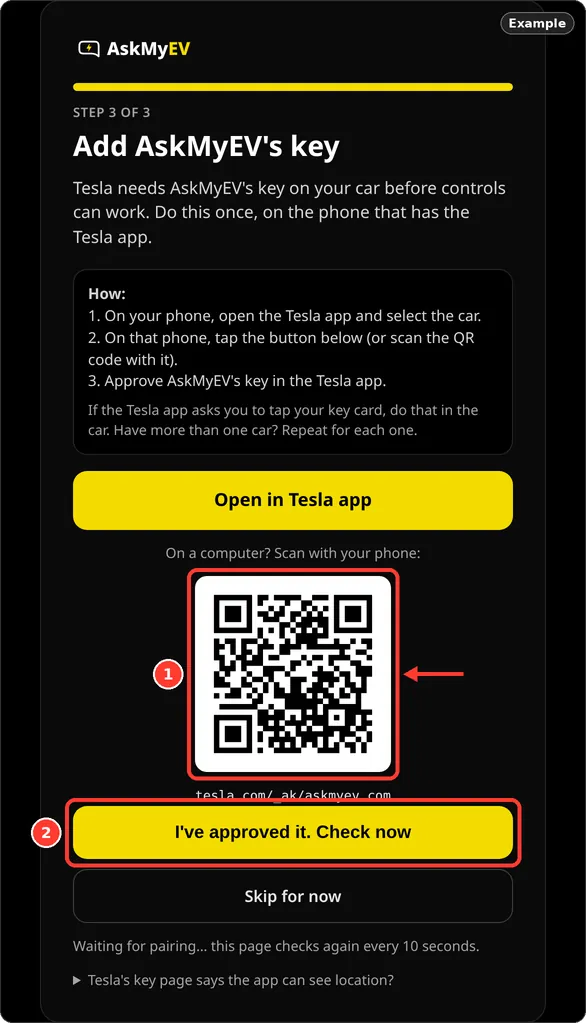
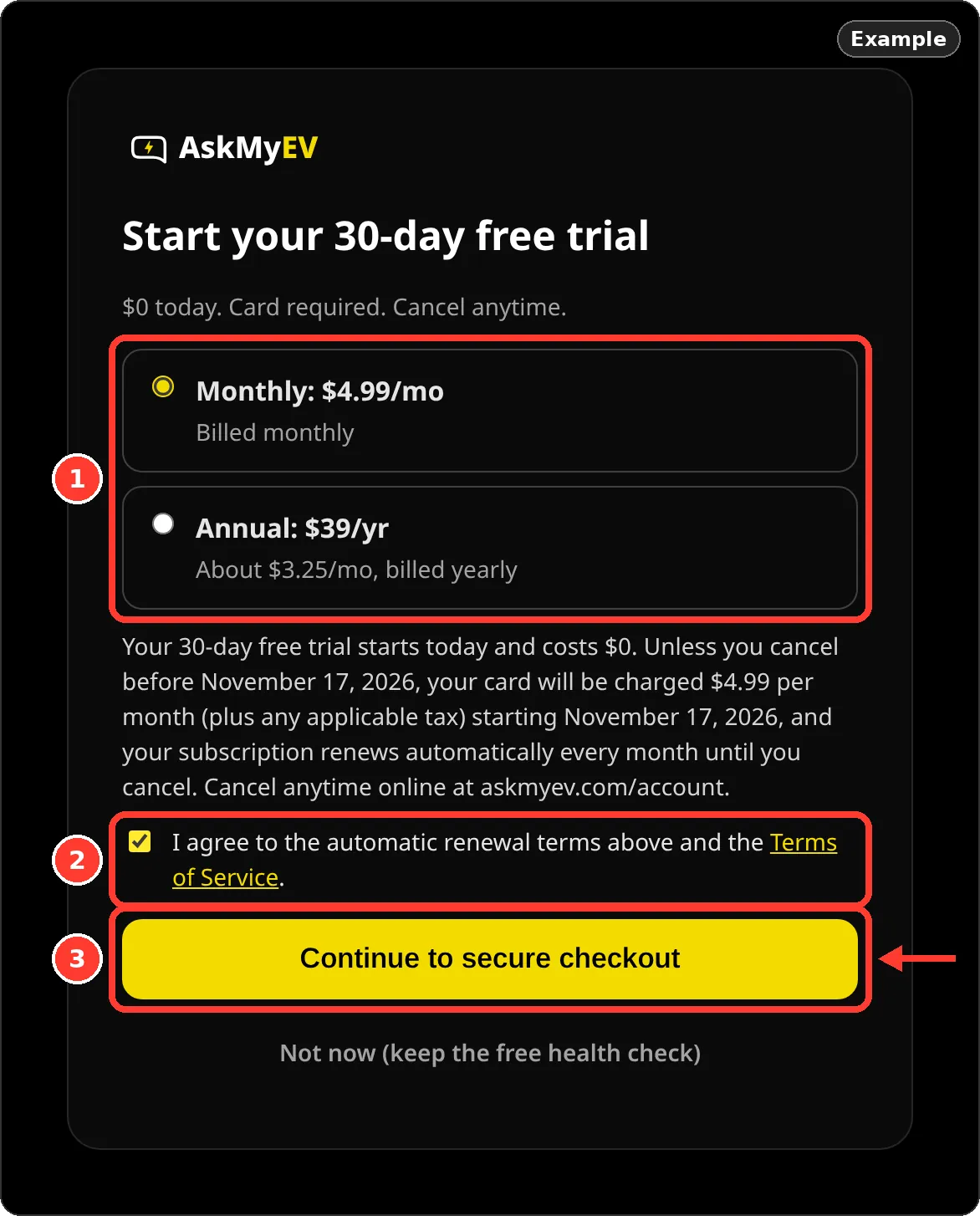
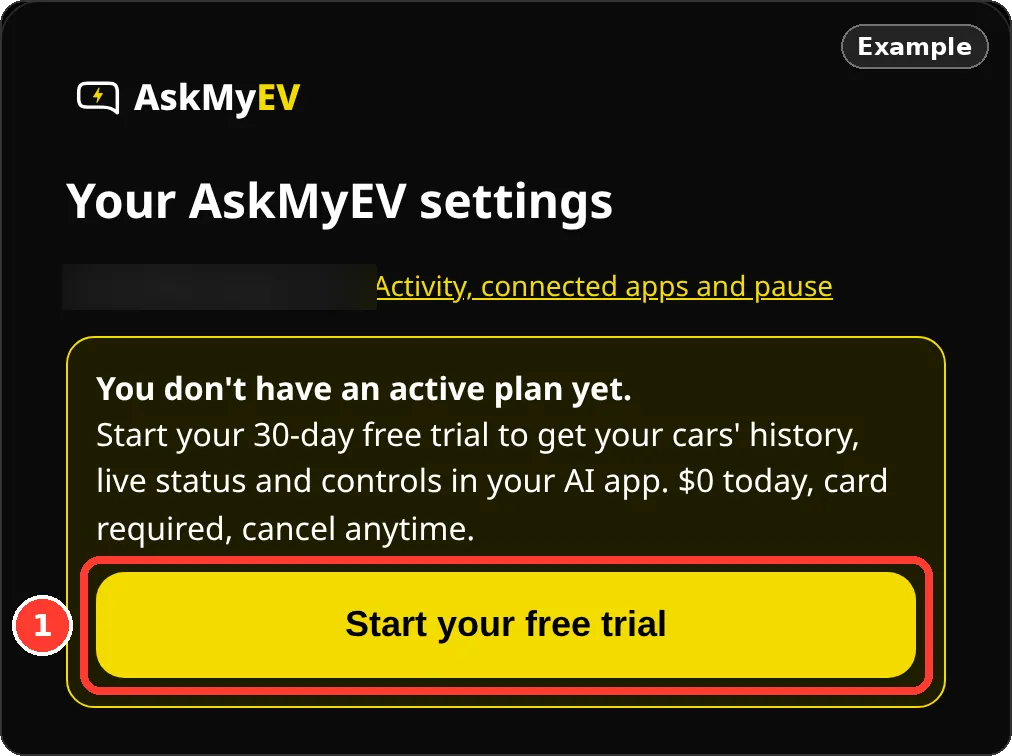
Example screen from a test account. - Choose a plan, or skip. New customers: Start your 30-day free trial, $0 today, card required. Choose Monthly: $4.99/mo or Annual: $39/yr (about $3.25/mo). The exact renewal terms are shown; tick the box and tap Continue to secure checkout. Already had a trial? The page says so and the plan starts today. One free trial per customer. Or tap Not now (keep the free health check).
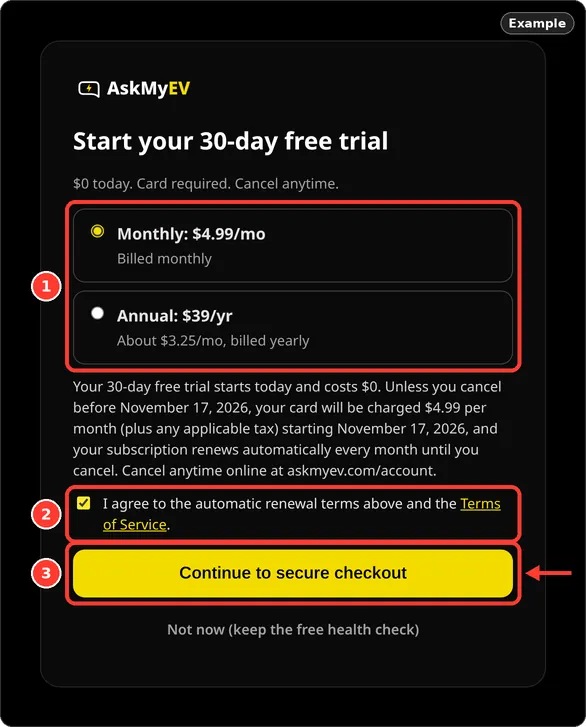
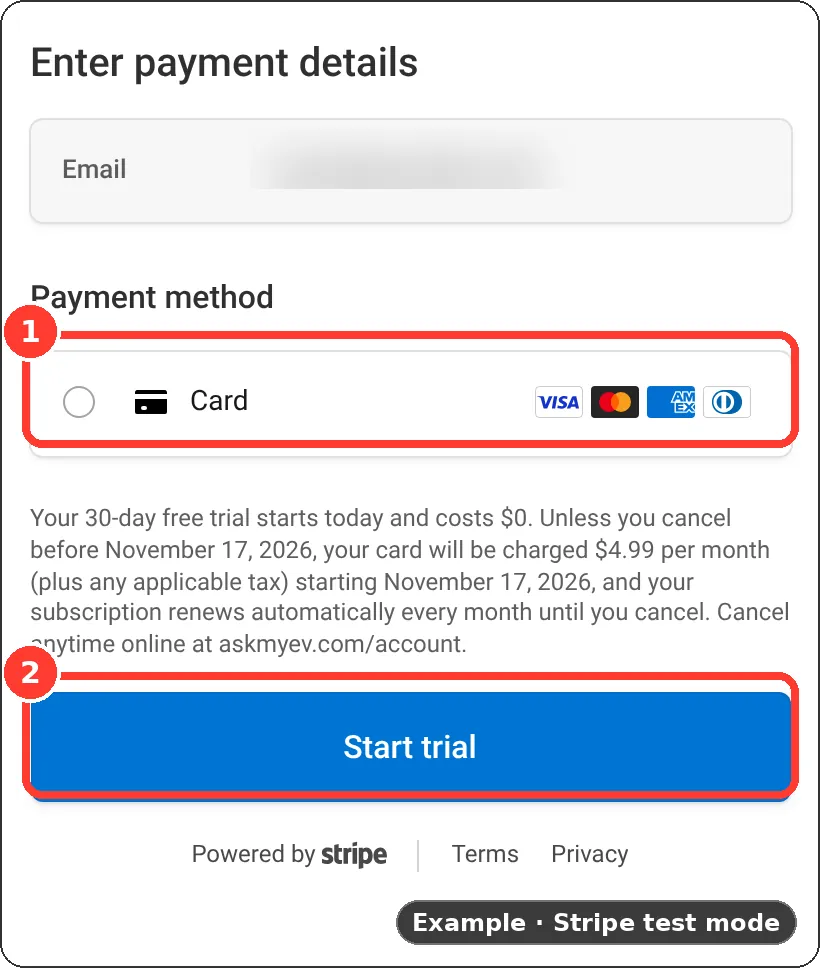
Example screen from a test account. - Stripe checkout. Enter your card on Stripe's secure page and tap Start trial. AskMyEV never sees your full card number.
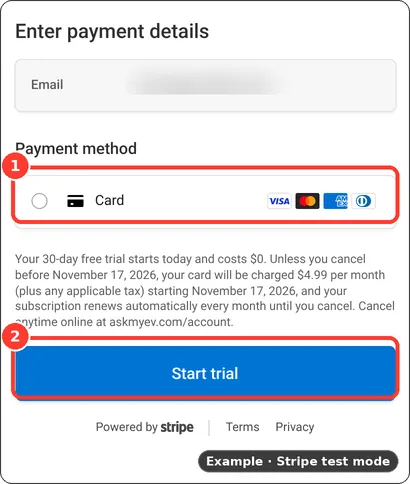
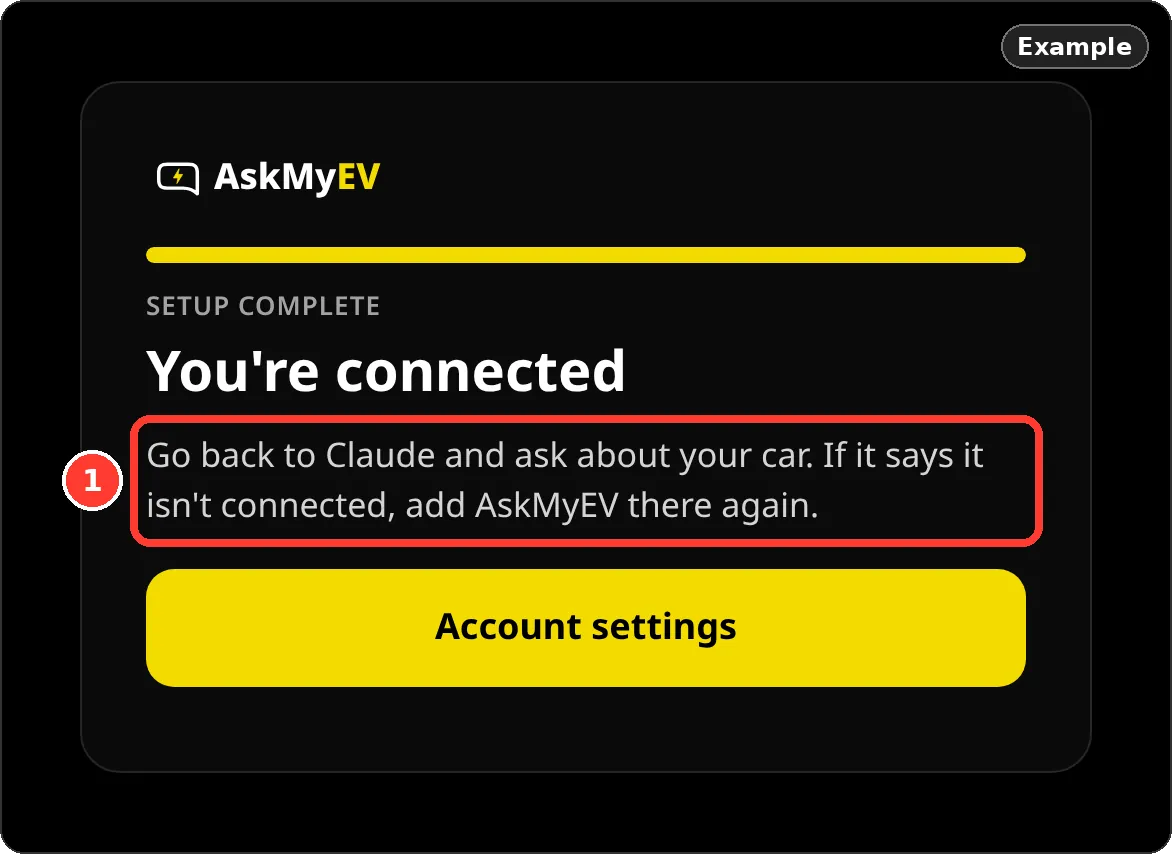
Example in Stripe test mode. Your checkout may show other payment options. - Back to your AI app. You're connected. AskMyEV hands you back to your AI app. Ask it about your car.
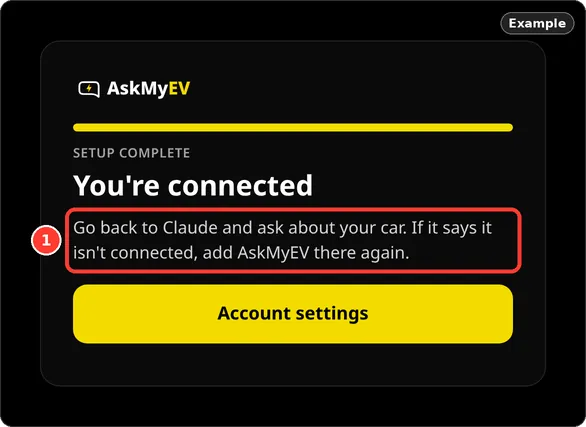
Example screen from a test account.
Free health check (no card)
On the plan screen tap Not now (keep the free health check). Back in your AI app, ask: “Run my free AskMyEV health check.” You get a one-time report on battery, tires, charging habits, alerts and software. One free check per car every 90 days. You can start a plan later from your Account page.
Closed the page before the end?
Setup waits for you for 24 hours after you sign in with Tesla. Sign in at askmyev.com/account with your email and tap Finish and go back to your AI app.
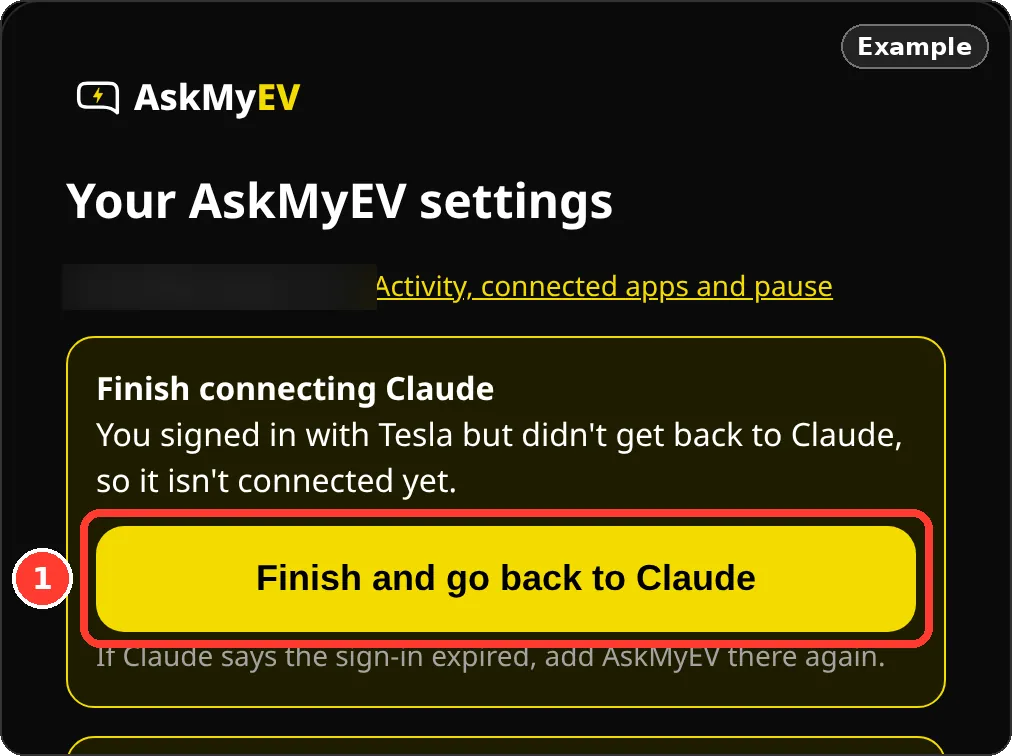
Your Account page
At askmyev.com/account you can start your free trial, turn location or car controls on or off, add AskMyEV's key, see what your AI did, manage billing and cancel.
Frequently asked questions
Does AskMyEV see my Tesla password?
No. You sign in on Tesla's own page (auth.tesla.com).
Do I have to turn on car controls?
No. Everything optional stays off unless you turn it on. Reading your car's data works without it.
What if I already used a free trial?
The plan screen tells you before checkout. One free trial per customer; a new plan is billed from the day you start it.
How much does it cost?
A free one-time health check needs no card (one per car every 90 days). Plans start with a 30-day free trial for new customers, card required, one trial per customer. Then $4.99/mo or $39/yr. One plan covers every car on your Tesla account.
Ask your own Tesla, in the AI you already use
Read-only by default, set up in about 3 minutes. 30-day free trial (card required, cancel anytime) or a free one-time health check with no card. Plans are $4.99/mo or $39/yr.
 Add to ChatGPT
 Add to Claude
 Add to Grok