Which ChatGPT plans work
This is OpenAI's rule, not ours, and it changes often. From OpenAI's help center (checked October 18, 2026):
| ChatGPT plan | Read your car | Car controls | Notes |
|---|---|---|---|
| Business | Yes | Yes | Only workspace admins and owners can add custom servers. |
| Enterprise, Edu | Yes | Yes | Admins choose who can add custom servers. |
| Pro | Yes | No | OpenAI allows read actions only on Pro. |
| Plus, Go, Free | Not listed by OpenAI | Check chatgpt.com/plugins for Add custom MCP server. If it isn't there, use Claude or Grok instead. | |
Part A
Add AskMyEV in ChatGPT
- Open Plugins on the web. On a computer, go to chatgpt.com/plugins. Adding a custom server works on the web only.
- Add a custom MCP server. Select the + button, then Add custom MCP server. You don't need Developer mode any more. If you don't see this option, your plan or workspace doesn't allow it (see the table above).
- Name it and paste the URL. Name: AskMyEV (description optional). Under Connection, paste the server URL
https://askmyev.com/mcp. Choose OAuth for authentication. - Accept the warning and create it. Read the risk warning, tick I understand and want to continue, then select Create as a plugin. ChatGPT lists AskMyEV's tools.
- Install it and sign in. Install the plugin. When ChatGPT asks you to sign in, AskMyEV's setup opens (Part B).
Part B
Connect your Tesla (AskMyEV's screens)
Every screen is explained in What happens after you add AskMyEV.
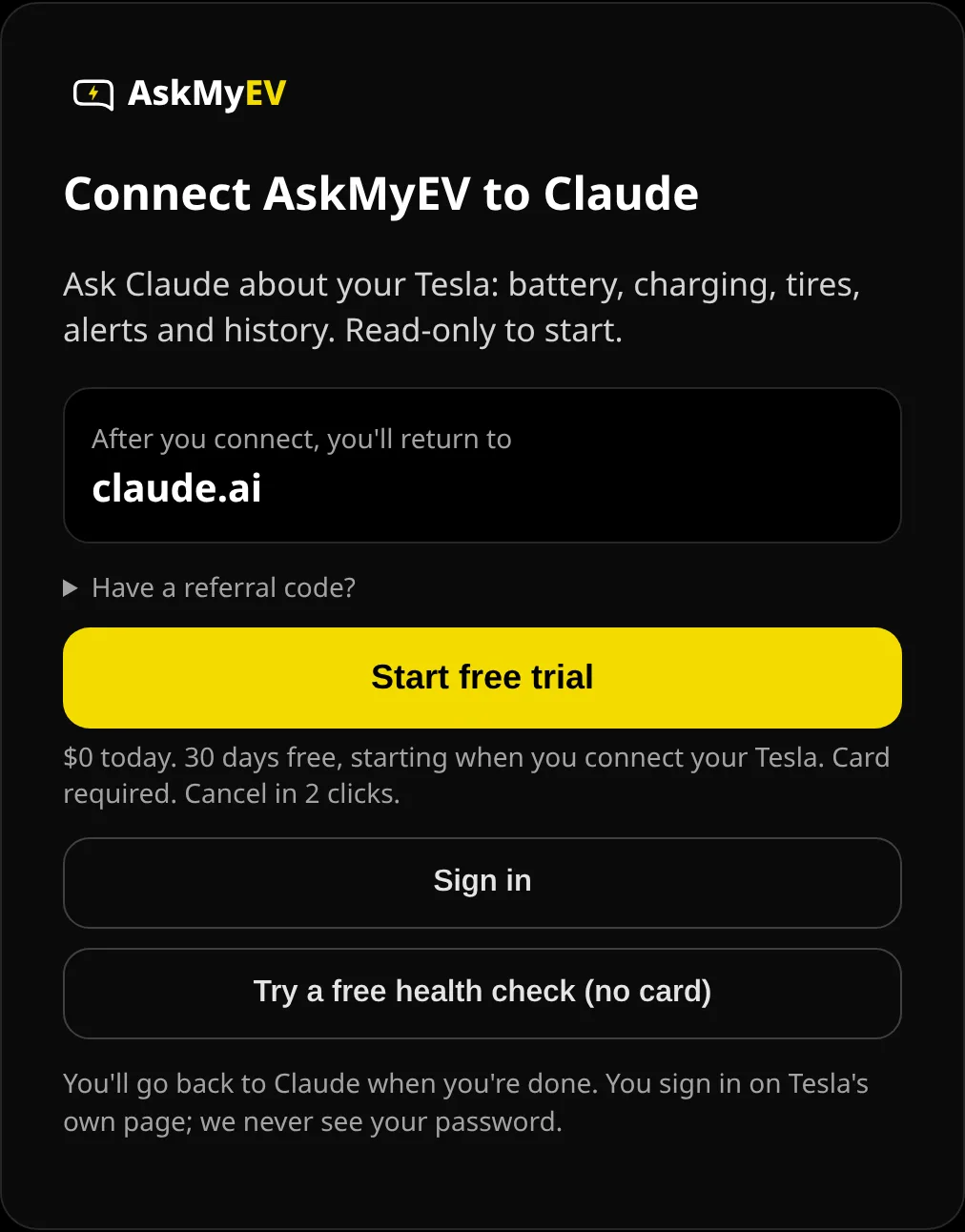
- Tap Start my free month (or Sign in). ChatGPT opens AskMyEV's Connect AskMyEV to ChatGPT screen. Check the app name you'll return to, then tap Start my free month. Already have an AskMyEV account? Tap Sign in.
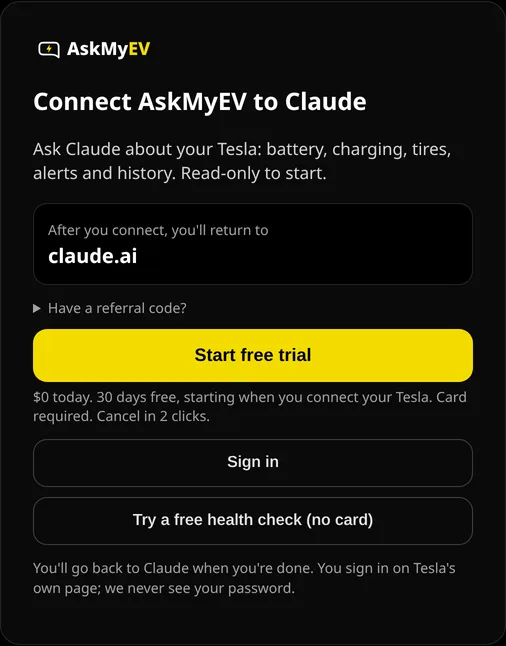
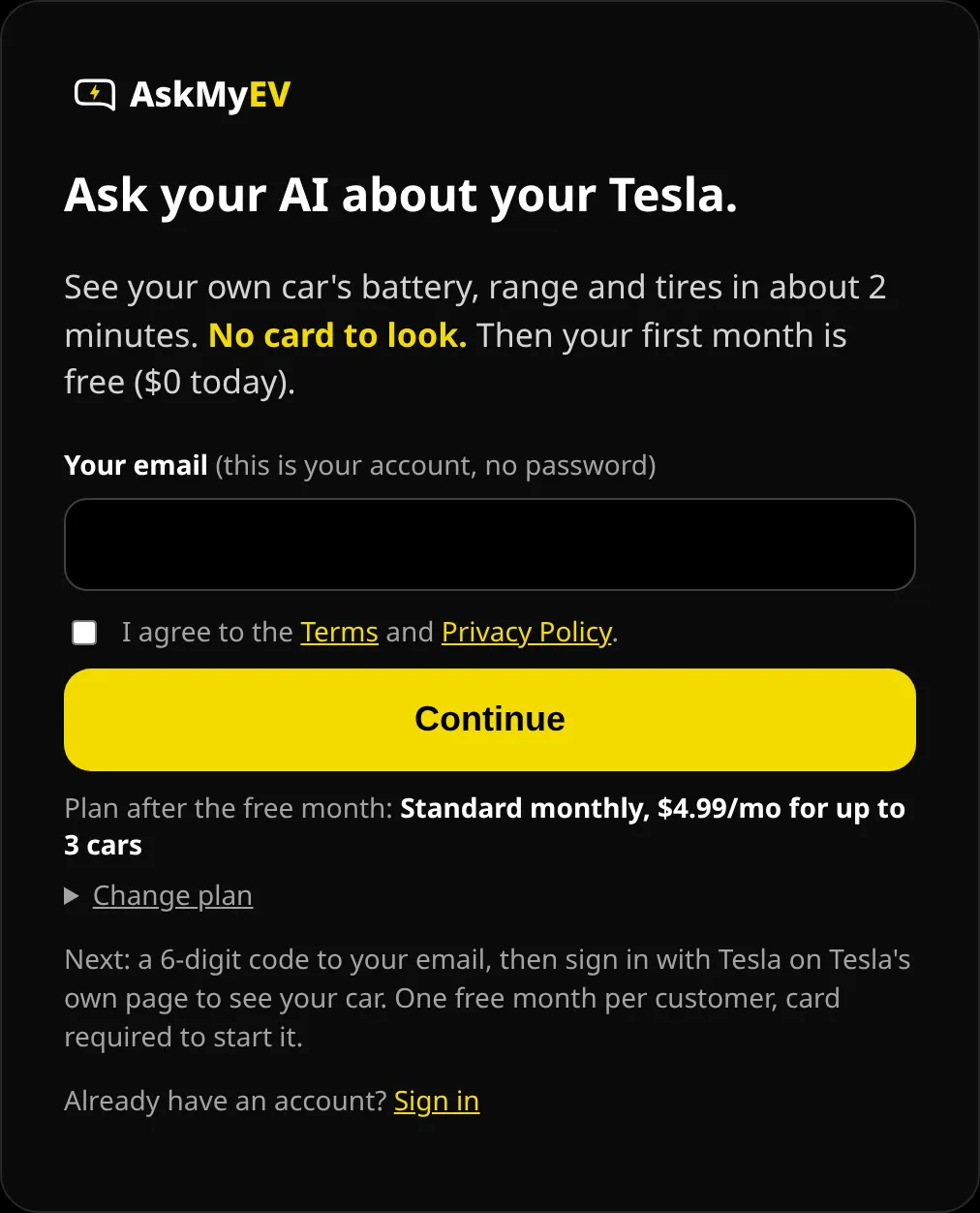
Example screen from a test account. Have a referral code? Open Have a referral code? first. - Enter your email. Enter your email, agree to the Terms and tap Continue. Standard monthly ($4.99/mo after the free month, up to 3 cars) is picked for you; tap Change plan for yearly or Fleet. We email you a 6-digit code; type it in, or tap the link in the email. There's no password and no card yet.
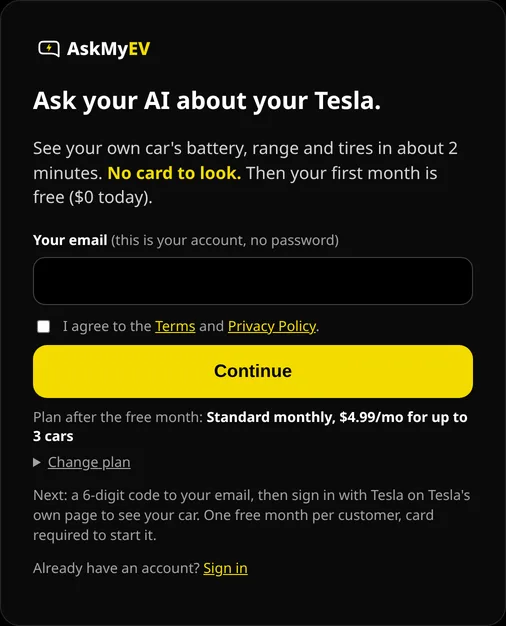
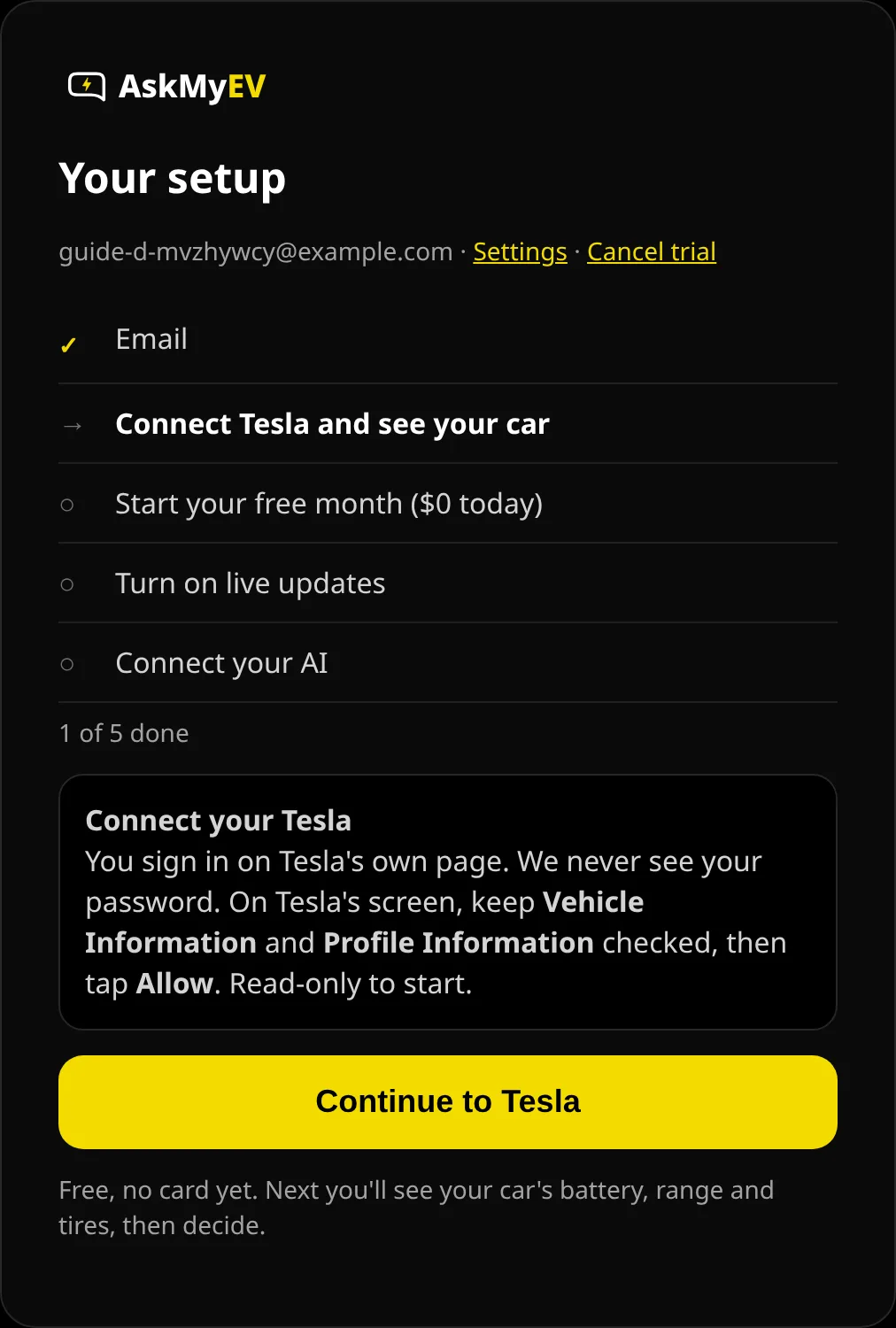
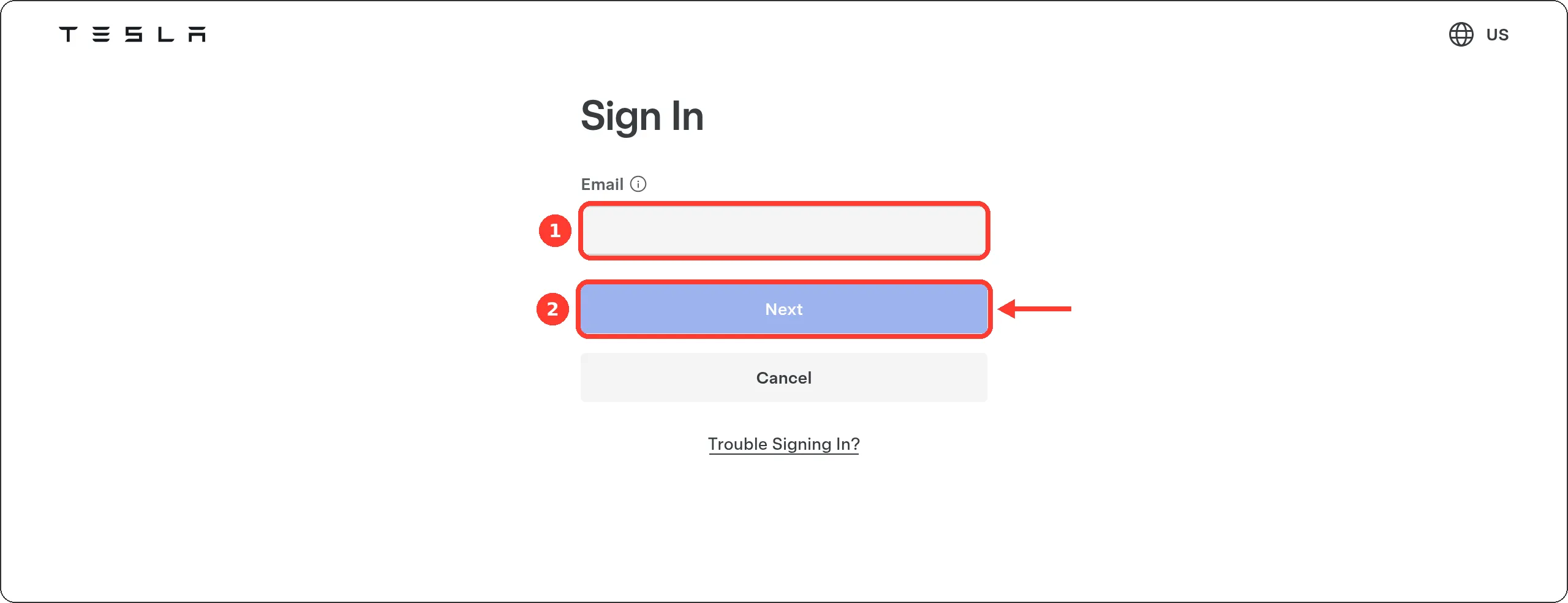
Example screen from a test account. - Connect your Tesla (free, no card yet). Tap Continue to Tesla. Tesla's own sign-in page opens (auth.tesla.com); AskMyEV never sees your password. Leave Vehicle Information and Profile Information checked and tap Allow. That's read-only.
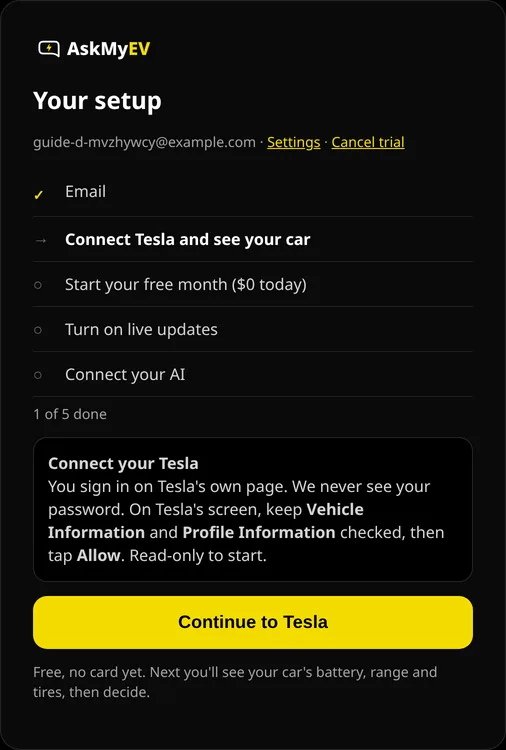
Example screen from a test account. 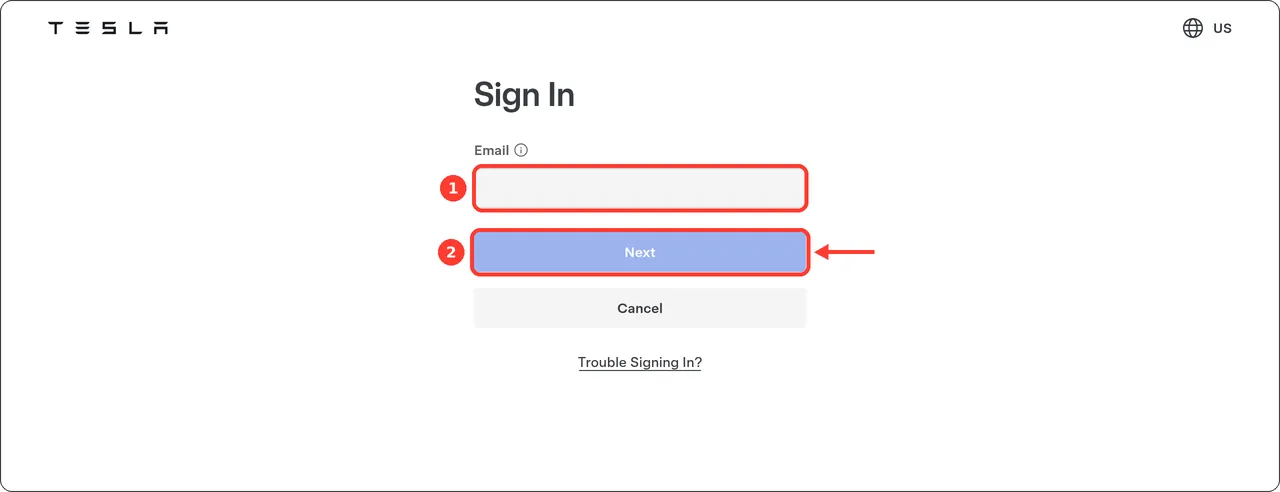
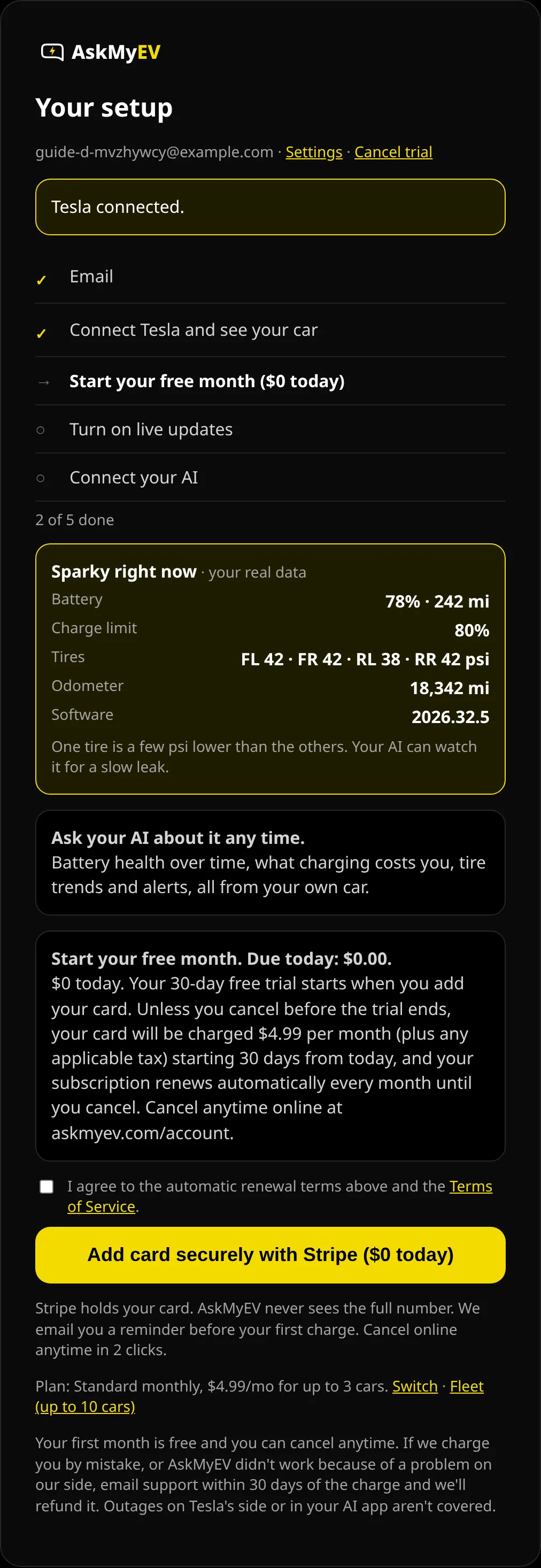
Tesla's page (tesla.com), screenshot October 2026. We can't show Tesla's permission screen; it needs a real Tesla account. - See your car, then start your free month ($0 today). AskMyEV shows your car's battery, range, charge limit and tire pressures from your own data (if the car is asleep we say so; we never wake it). Like it? Read the renewal terms, tick the box and tap Add card securely with Stripe ($0 today). Your 30-day free trial starts when you add your card. One free trial per customer.
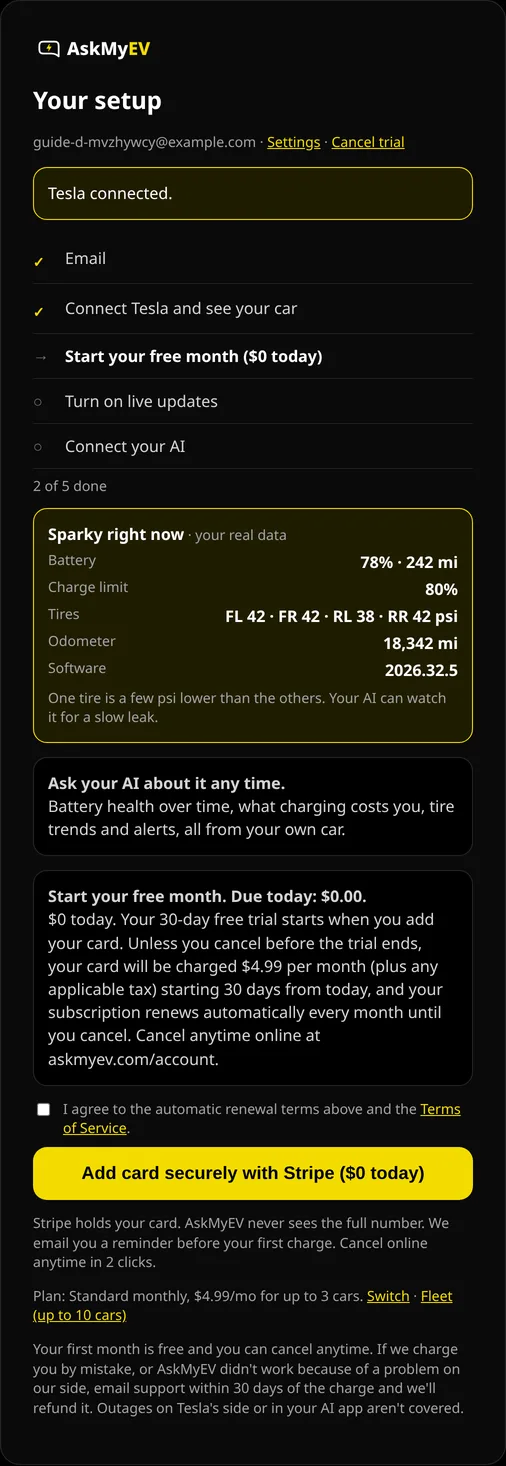
Example screen from a test account. The car numbers are sample data. - Choose optional features, or leave them off. Car location, Car controls and Remote start are all off. Leave them off, or choose On and tick its box, then tap Save features. If you turned something on, Tesla asks once more for that permission. Turned on car controls? Next you add AskMyEV's key to your car.

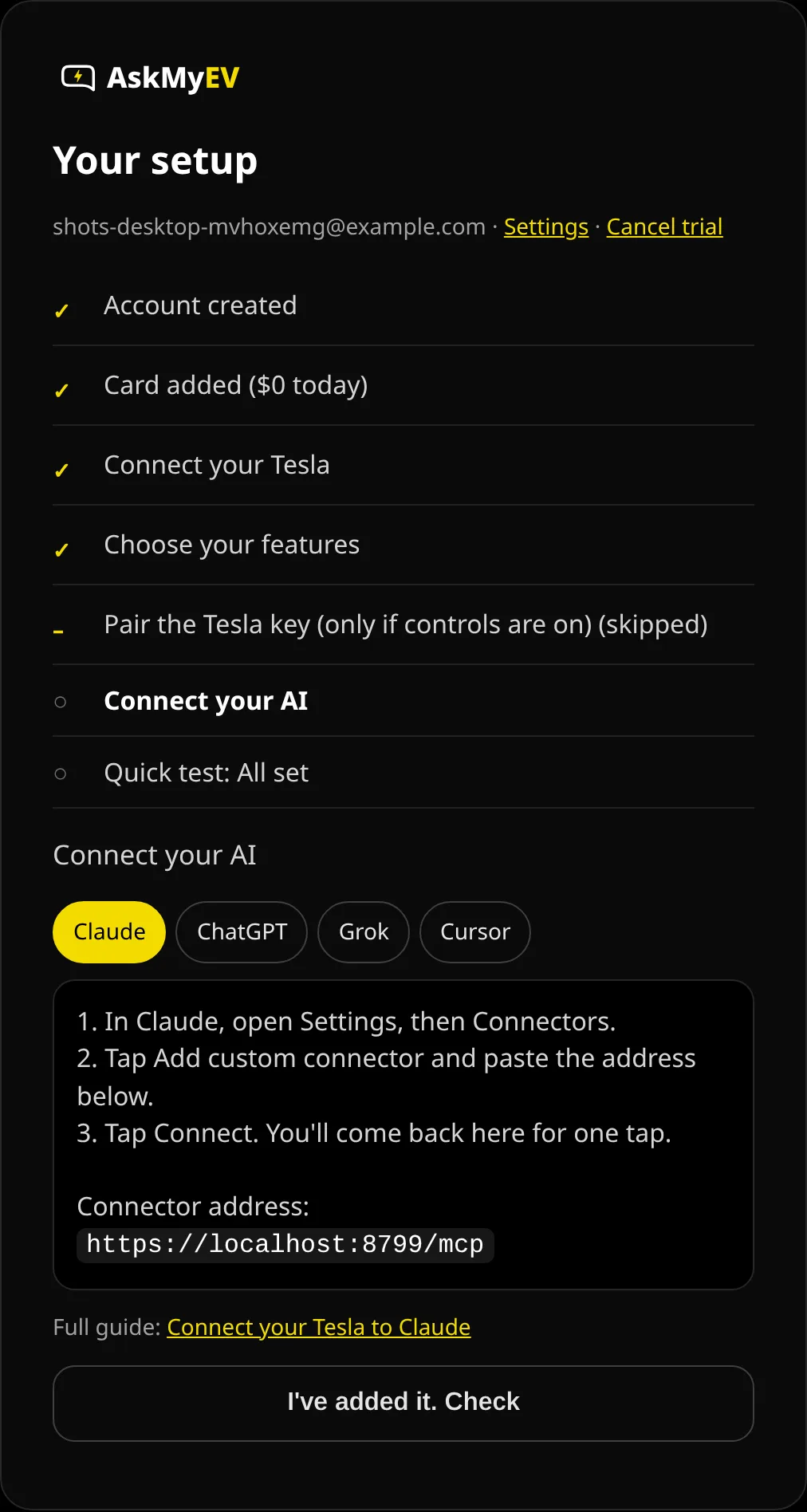
Example screen from a test account. - Go back to ${app}. Tap Finish and go back to ChatGPT. Then ask: “What's my battery level?” If ChatGPT says it isn't connected, add AskMyEV there again; it's one tap now.
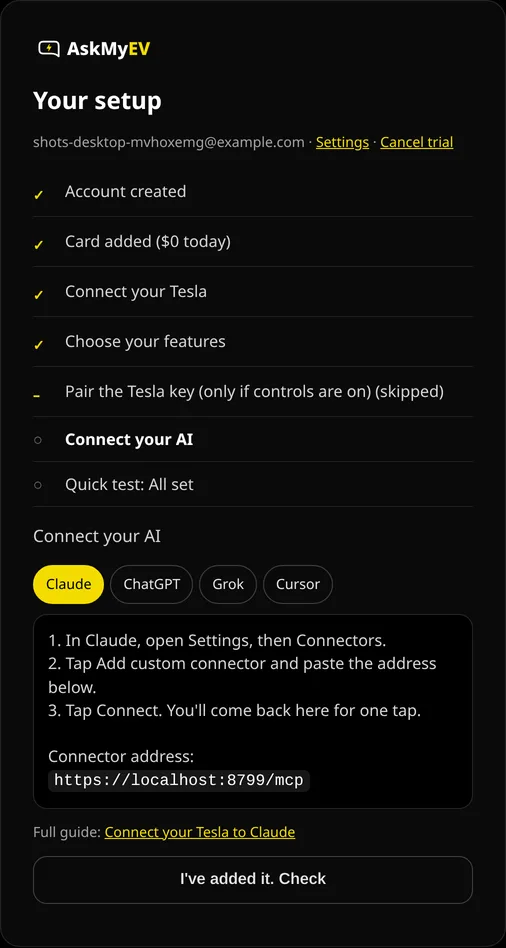
Example screen from a test account.

Part C
Use it in a chat
- Pick AskMyEV in a new chat. Start a new chat, type @ and select AskMyEV, then ask “What's my range right now?”
- Mention it again for fresh data. ChatGPT picks apps per message. Type @AskMyEV again when you want new car data. ChatGPT may ask you to confirm before actions that change something on the car.
On your phone
OpenAI documents adding custom servers on chatgpt.com on the web only, so add AskMyEV on a computer.
First questions to ask
- “How's my Tesla's battery health?”
- “Is my car ready for a 200-mile trip tomorrow?”
- “Any Tesla alerts this week? What do they mean?”
- “What did charging cost me last month?”
- “Run my Tesla health check.”
More in the AskMyEV prompt library.
Troubleshooting
- No “Add custom MCP server” option: your plan or workspace doesn't allow custom servers. On Business, ask an admin or owner. Developer mode is gone, so there's no switch to turn on.
- Car controls don't run: on Pro, ChatGPT allows read actions only. Reading your car still works. Use Claude or Grok for controls.
- ChatGPT doesn't use AskMyEV: type @ and pick AskMyEV in that message.
- Tools look out of date: open AskMyEV in Plugins and select Refresh.
- “Can't reach my car”: the car may be asleep or offline. Ask again in a minute, or ask for the last saved data.
Manage or disconnect
- In your AI app: open AskMyEV in Plugins on chatgpt.com and remove it.
- At Tesla: revoke AskMyEV in your Tesla account's third-party apps (Profile, Security, Third-party apps). If you added AskMyEV's key, you can delete it on the car's touchscreen under Controls, Locks.
- Your plan: askmyev.com/account to cancel, change settings or delete your account. Cancel during the trial and you're never charged.
Is it safe?
- Off unless you turn it on. AskMyEV reads data by default. Location, car controls and remote start are off until you opt in once, during setup or on your Account page. Commands then run when you ask, with limits and no codes, and a feature may pause if use looks unusual.
- Official login. It uses Tesla's official Fleet API for third-party apps; you sign in on Tesla's page.
- No location history. If you turn location on, it is looked up live to answer a question. We don't save the coordinates.
- Battery-friendly. It doesn't wake a sleeping car unless you ask, with a cap of 1 wake-up per day for your account (3 on Fleet).
- Revocable. Remove the connector in your AI app, and revoke AskMyEV in your Tesla account's third-party apps.
Last checked October 18, 2026 against OpenAI's help center. We couldn't screenshot ChatGPT's own screens, so those steps are text. The pictures show AskMyEV's screens (test account, example data) and Tesla's public pages. Menus change; if yours looks different, email support@askmyev.com.
Frequently asked questions
Does ChatGPT have a Tesla integration?
Not built in. You connect your Tesla through a custom MCP server such as AskMyEV, which uses Tesla's official Fleet API and your Tesla login.
Which ChatGPT plans support it?
OpenAI lists custom MCP servers for ChatGPT Business, Enterprise and Edu on the web. Pro can connect with read actions only, so car controls won't run there. Plus, Go and Free aren't listed; check chatgpt.com/plugins for Add custom MCP server.
Do I need Developer mode?
No. OpenAI removed the separate Developer mode switch. You add the server from Plugins and accept a risk warning.
Can ChatGPT unlock or open my Tesla through AskMyEV?
Only if you turn car controls on yourself, once, during setup or on your Account page. Then your AI can change climate, charging, locks, the rear trunk and the frunk when you ask, with limits and no codes. The frunk can only be opened, not closed, remotely. Your car also needs AskMyEV's key, added in the Tesla app. AskMyEV never moves the car.
How much does it cost?
Plans start with a 30-day free trial for new customers, card required, one trial per customer. Then $4.99/mo for up to 3 cars ($39/yr), or Fleet $9.99/mo for up to 10 ($89/yr).
Ask your own Tesla, in the AI you already use
Read-only by default, set up in about 3 minutes. Your first month is free (card required, $0 today, cancel anytime). Then $4.99/mo for up to 3 cars, or Fleet $9.99/mo for up to 10.
 Add to ChatGPT
 Add to Claude
 Add to Grok
 Add to Cursor