https://askmyev.com/mcpBefore you start
You need Cursor on your computer and the Tesla account that owns the car. Cursor connects to AskMyEV over Streamable HTTP and signs in with OAuth. Cursor asks before it runs an MCP tool, unless you changed that in its settings.
Part A
Add AskMyEV in Cursor
- Open your MCP config file. In Cursor, open (or create)
~/.cursor/mcp.jsonin your home folder. That makes AskMyEV available in every project. To add it to one project only, use.cursor/mcp.jsonin that project instead. - Add AskMyEV as a remote server. Paste this and save the file. If the file already has other servers, add the
"askmyev"entry inside the existing"mcpServers"block.
No API key or headers are needed. AskMyEV signs you in with OAuth, which Cursor supports for remote servers.{ "mcpServers": { "askmyev": { "url": "https://askmyev.com/mcp" } } } - Turn it on and sign in. Open Customize in Cursor's sidebar and find AskMyEV in the MCP list. Make sure its toggle is on. When Cursor asks you to sign in to AskMyEV, continue. AskMyEV's setup opens in your browser (Part B).
Part B
Connect your Tesla (AskMyEV's screens)
Every screen is explained in What happens after you add AskMyEV. AskMyEV's Connect screen marks Cursor as an Unverified app, because it isn't ChatGPT, Claude or Grok. That's expected when you set it up yourself.
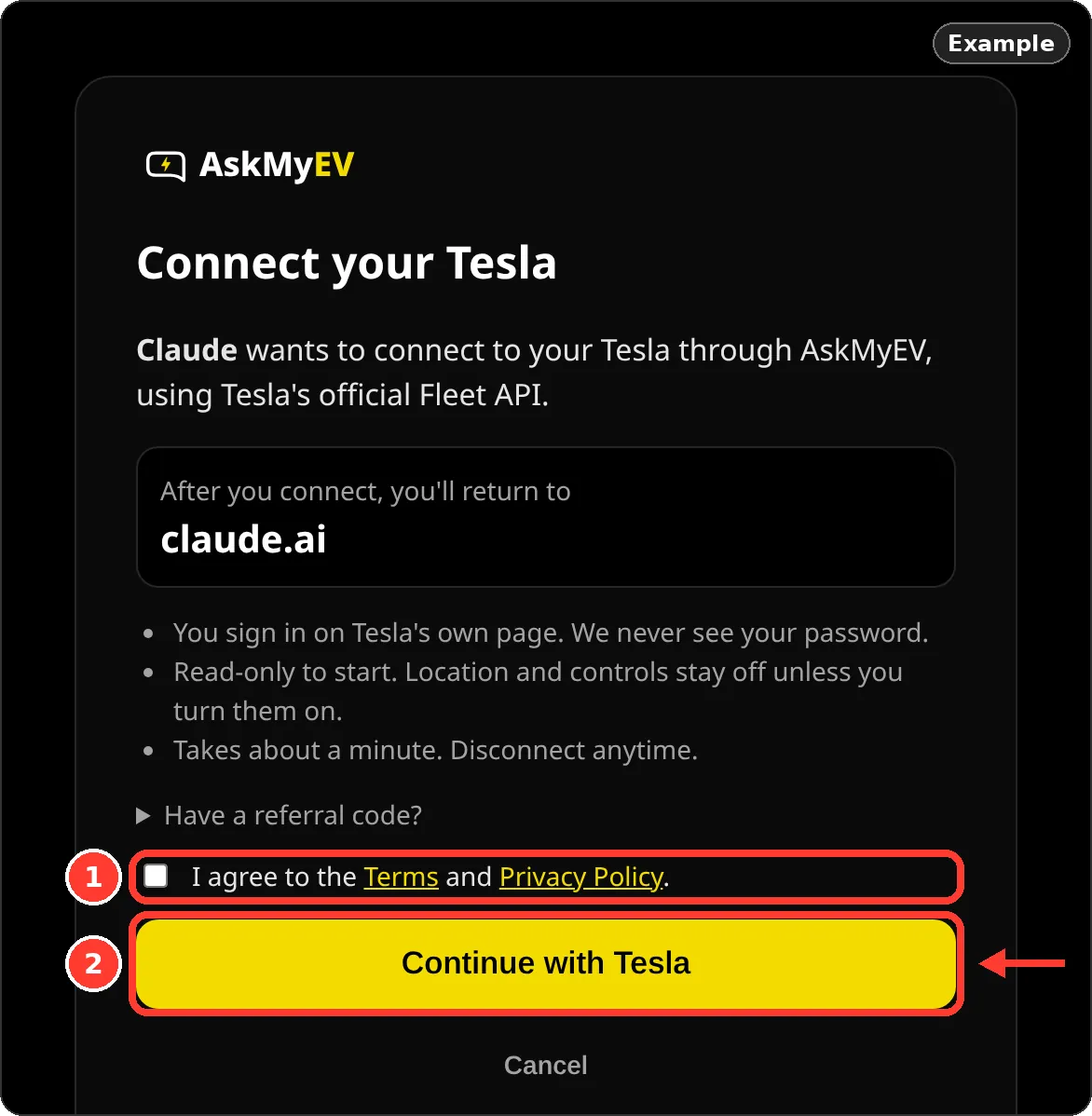
- Agree and tap Continue with Tesla. Cursor opens AskMyEV's Connect your Tesla screen. Check the app name you'll return to, tick I agree to the Terms and Privacy Policy, then tap Continue with Tesla.
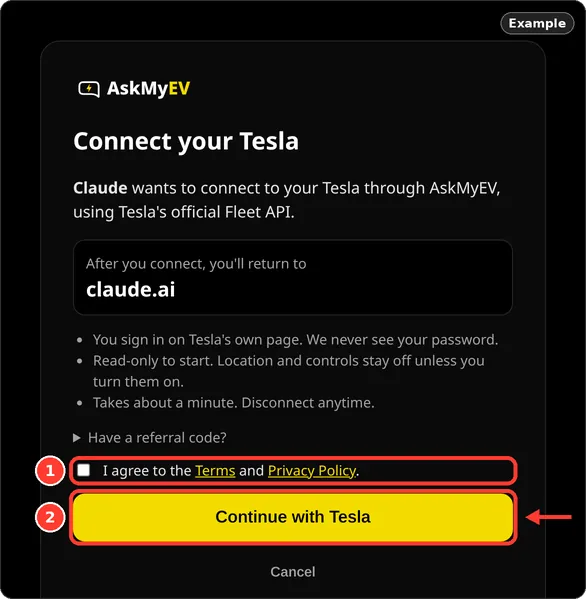
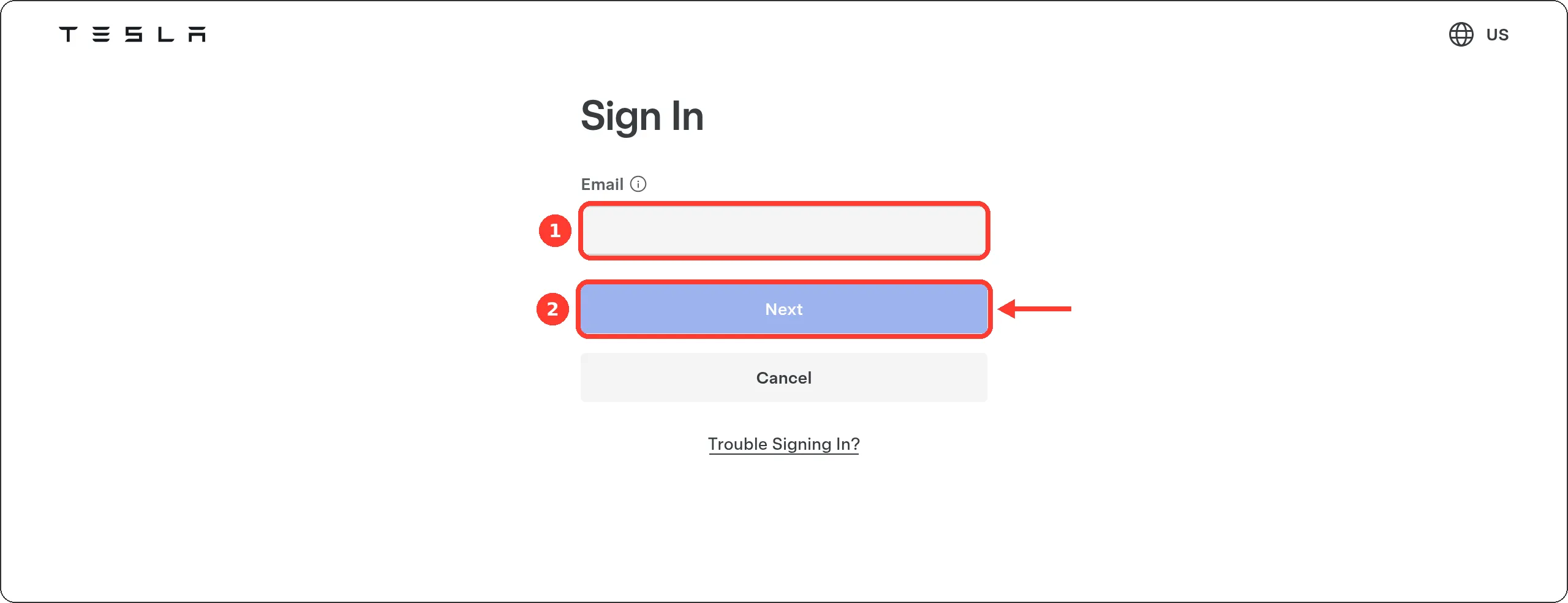
Example screen from a test account. Have a referral code? Open Have a referral code? first. - Sign in on Tesla's page and allow access. Tesla's own sign-in page opens (auth.tesla.com). AskMyEV never sees your password. Tesla then lists what AskMyEV asks for: your profile, vehicle information and energy product information. That's read-only. Leave Vehicle Information checked and approve.
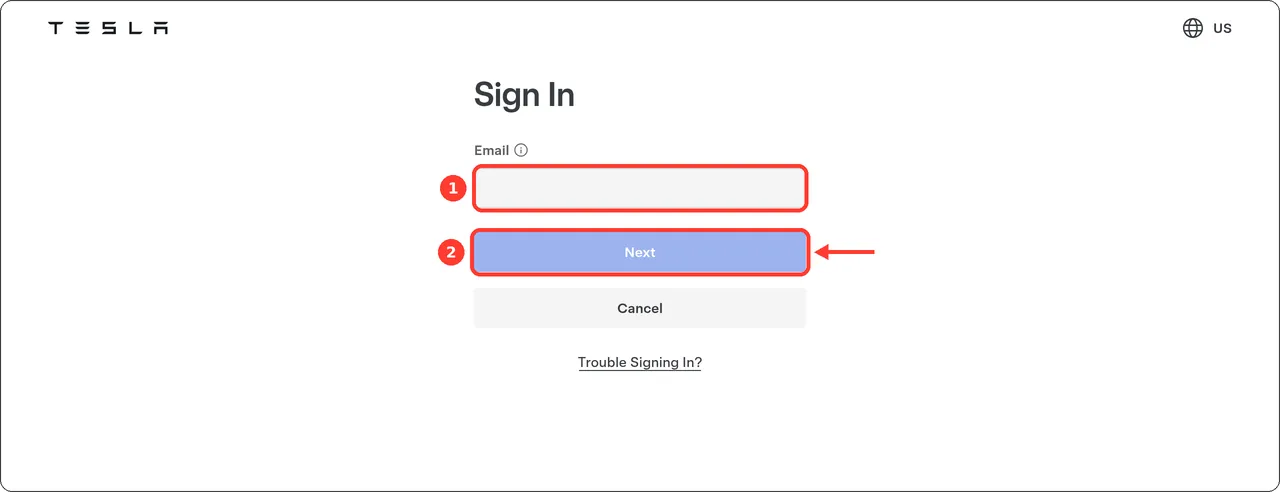
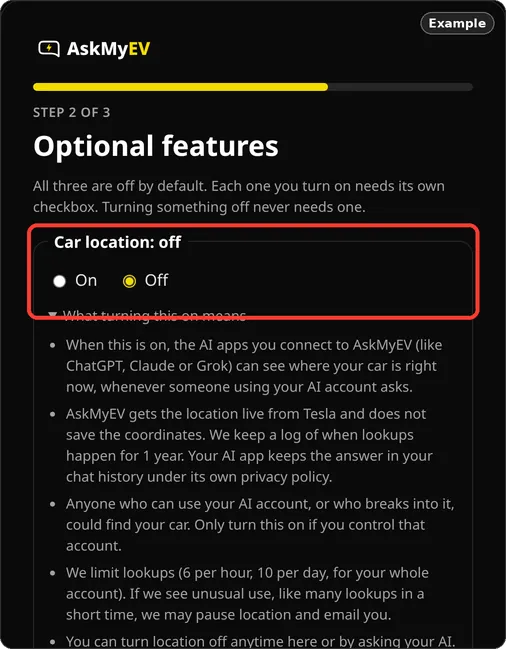
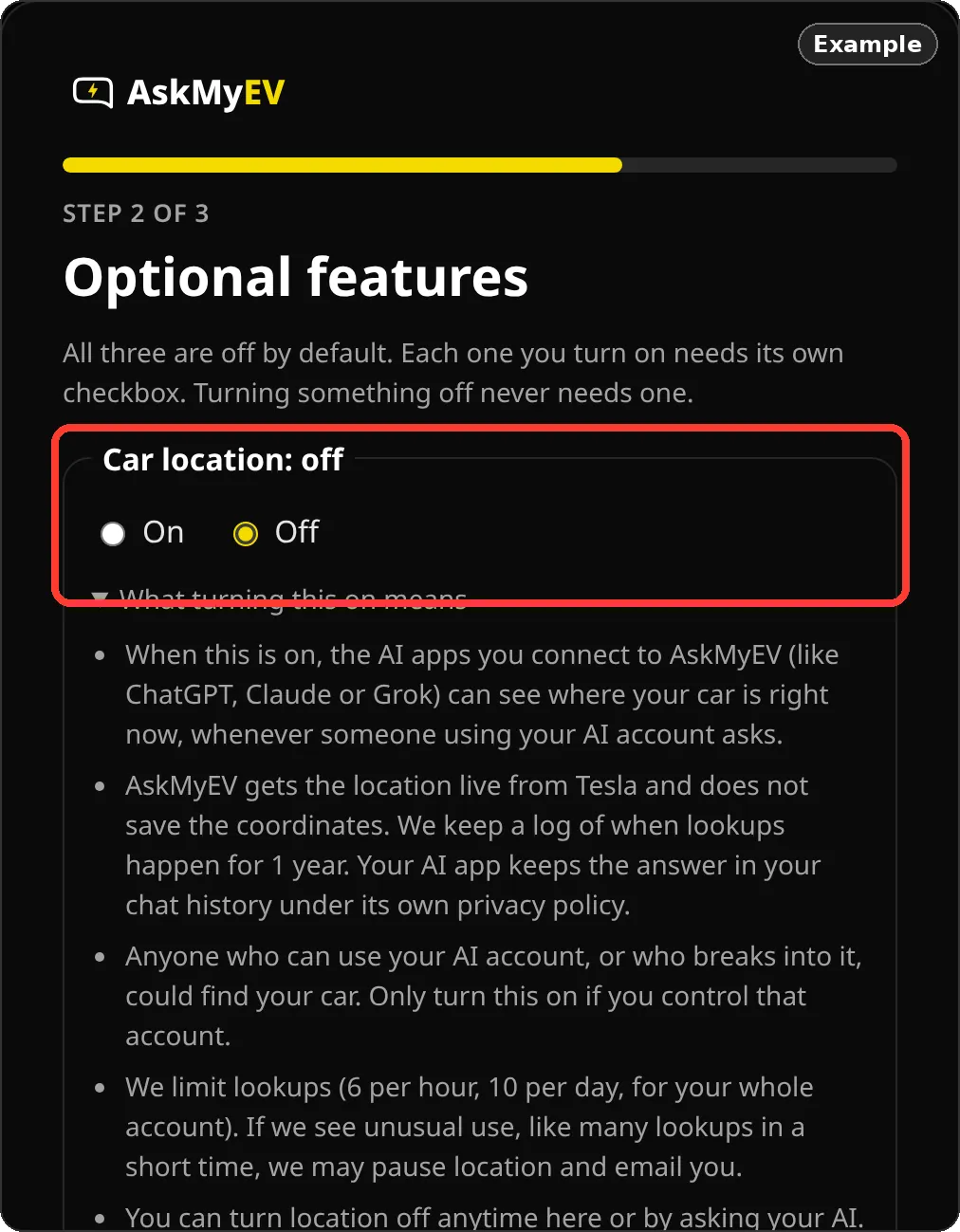
Tesla's page (tesla.com), screenshot October 2026. We can't show Tesla's permission screen; it needs a real Tesla account. - Choose optional features, or leave them off. On Optional features, Car location, Car controls and Remote start are all off. Leave them off, or choose On and tick its box. Tap Save and continue. If you turned something on, Tesla asks once more for that permission; approve it. Turned on car controls? Next you add AskMyEV's key to your car (about a minute, in the Tesla app).
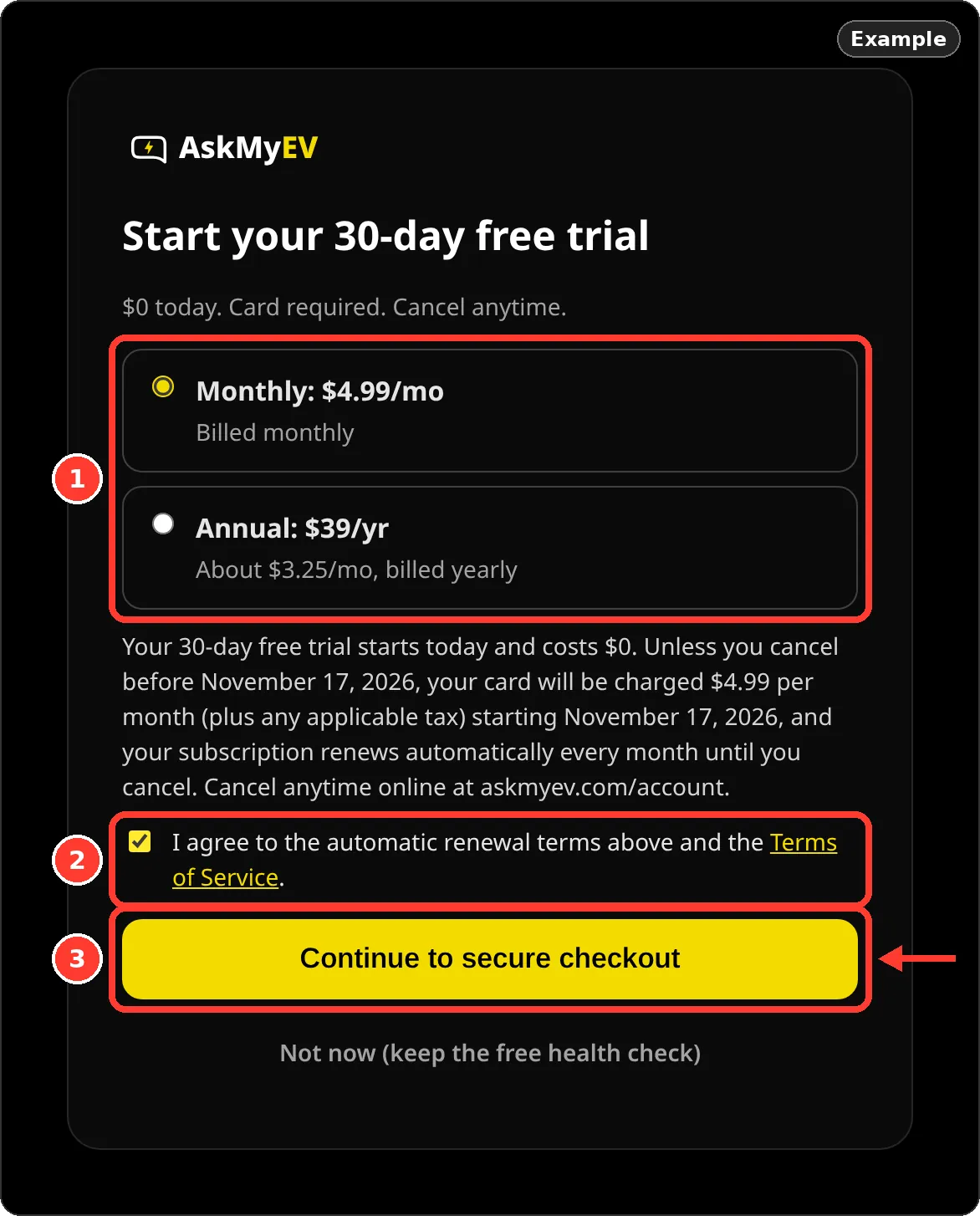
Example screen from a test account. - Start your free trial, or skip. New customers get a 30-day free trial: $0 today, card required, one trial per customer. Pick Monthly: $4.99/mo or Annual: $39/yr, tick the renewal box and tap Continue to secure checkout. Not ready? Tap Not now (keep the free health check).
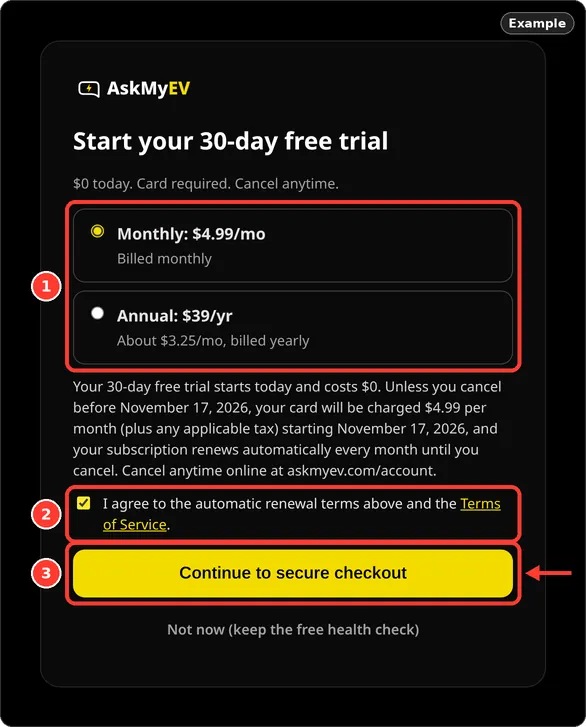
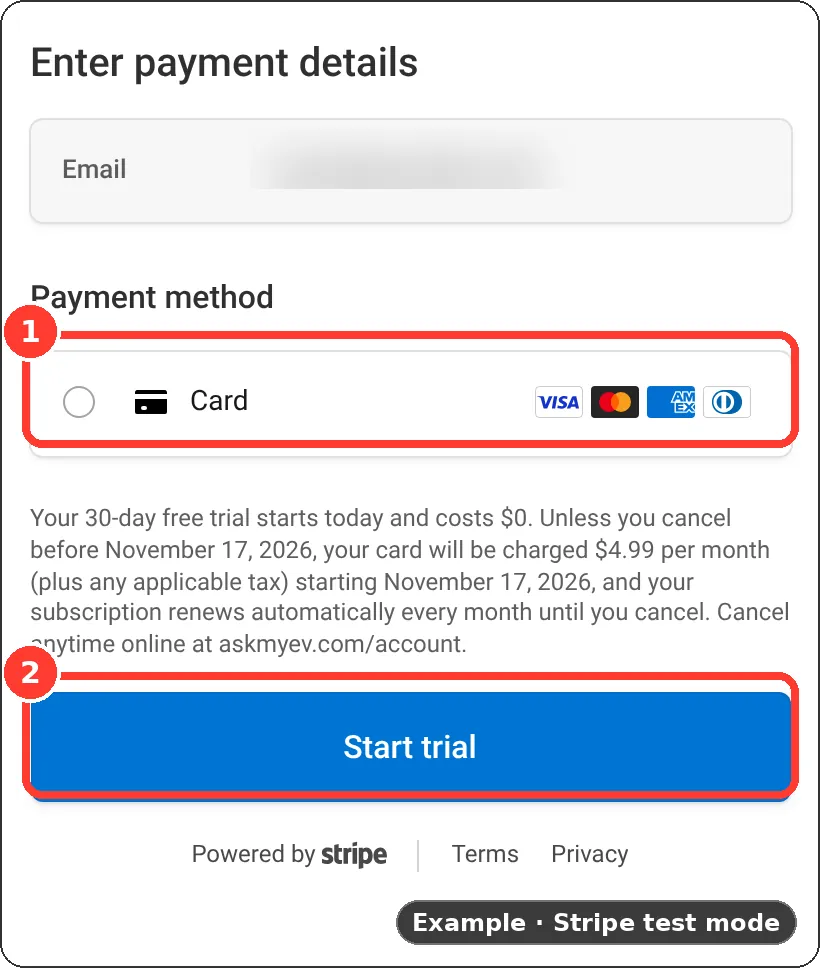
Example screen from a test account. - Enter your card on Stripe's checkout. Stripe's secure checkout shows the trial terms. Enter your card and tap Start trial. Cancel before the trial ends and you pay nothing.
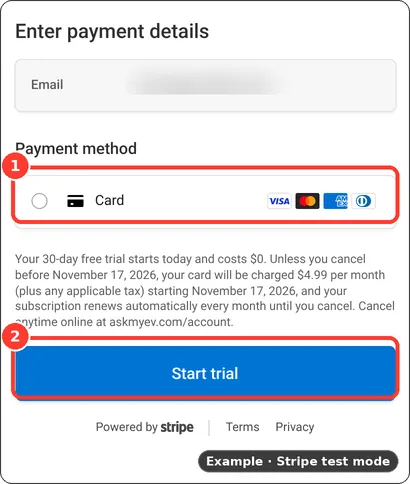
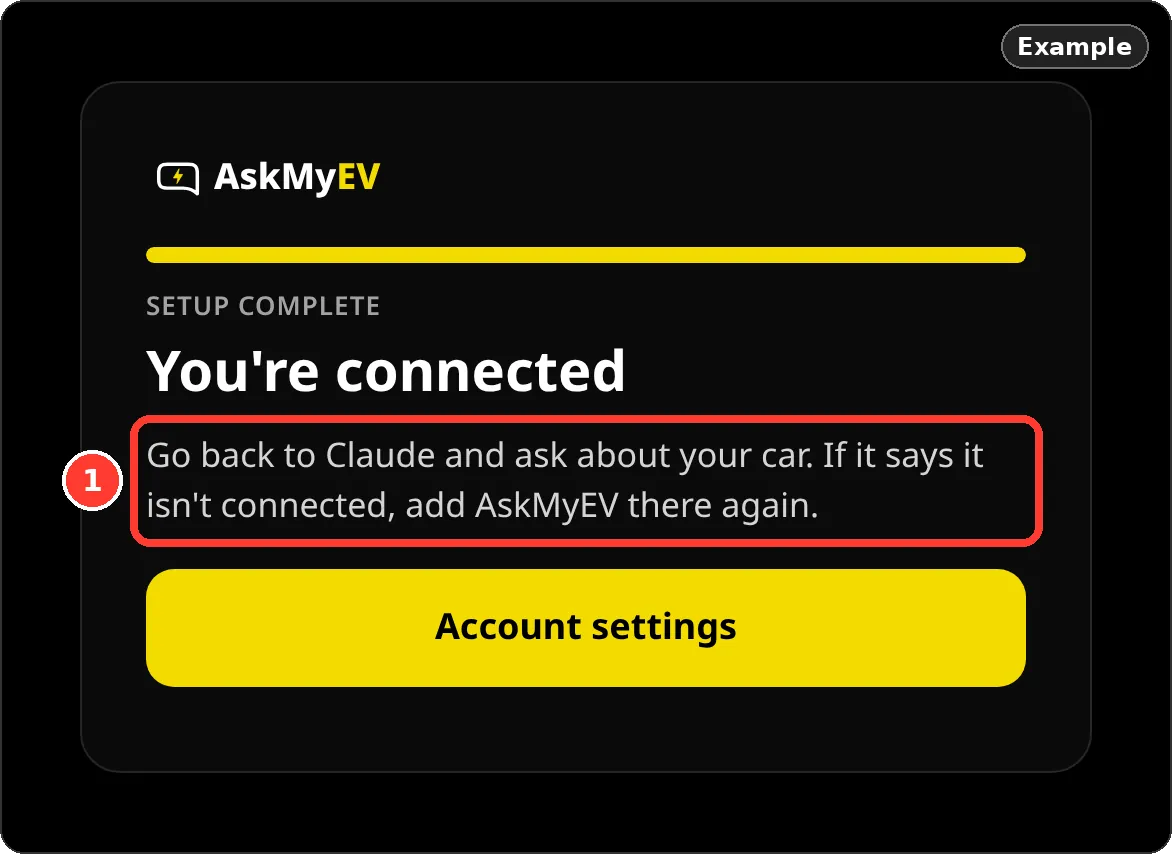
Example in Stripe test mode. Your checkout may show other payment options. - You're connected. AskMyEV shows You're connected and sends you back to Cursor. If Cursor says it isn't connected, add AskMyEV there again.
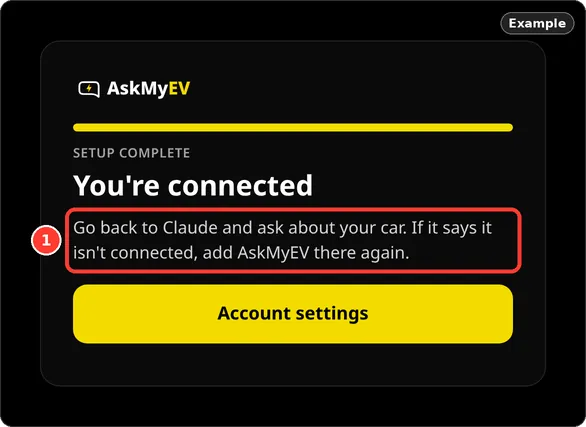
Example screen from a test account.
Part C
Use it
In Cursor's chat, ask about your car, for example “How's my Tesla's battery?”. Cursor uses MCP tools when they fit the question, and you can also ask for an AskMyEV tool by name.
Location and car controls in Cursor
Reading your car's data works right away. Location and car controls are limited to ChatGPT, Claude and Grok unless you allow other apps. To use them from Cursor, sign in at askmyev.com/account and tick Allow apps other than ChatGPT, Claude and Grok to use location and controls. Only do this if you control your Cursor account. On Tesla's permission screen, keep Vehicle Commands and Vehicle Charging Management checked if you turn on car controls.
First questions to ask
- “How's my Tesla's battery health?”
- “Is my car ready for a 200-mile trip tomorrow?”
- “Any Tesla alerts this week? What do they mean?”
- “What did charging cost me last month?”
- “Run my free AskMyEV health check.”
More in the AskMyEV prompt library.
Troubleshooting
- AskMyEV doesn't show up: check that mcp.json is valid JSON and saved, then open Customize and make sure AskMyEV is on.
- Sign-in or connection errors: Cursor's docs suggest the Output panel: open it (Cmd+Shift+U on Mac) and choose MCP Logs.
- Tesla's screen didn't allow car controls: tap Finish setup without controls to connect anyway, and turn controls on later from your Account page.
- “Can't reach my car”: the car may be asleep or offline. Ask again in a minute, or ask for the last saved data.
Manage or disconnect
- In your AI app: remove the askmyev entry from mcp.json, or turn it off under Customize.
- At Tesla: revoke AskMyEV in your Tesla account's third-party apps (Profile, Security, Third-party apps). If you added AskMyEV's key, you can delete it on the car's touchscreen under Controls, Locks.
- Your plan: askmyev.com/account to cancel, change settings or delete your account. Cancel during the trial and you're never charged.
Is it safe?
- Off unless you turn it on. AskMyEV reads data by default. Location, car controls and remote start are off until you opt in once, during setup or on your Account page. Commands then run when you ask, with limits and no codes, and a feature may pause if use looks unusual.
- Official login. It uses Tesla's Fleet API, the approved route for third-party apps; you sign in on Tesla's page.
- No location history. If you turn location on, it is looked up live to answer a question. We don't save the coordinates.
- Battery-friendly. It doesn't wake a sleeping car unless you ask, with a cap of 1 wake-up per day for your account.
- Revocable. Remove the connector in your AI app, and revoke AskMyEV in your Tesla account's third-party apps.
Last checked October 20, 2026 against Cursor's MCP docs (cursor.com/docs/context/mcp). We don't show Cursor's own screens, so those steps are text. The pictures show AskMyEV's screens (test account, example data) and Tesla's public pages. Menus change; if yours looks different, email support@askmyev.com.
Frequently asked questions
Can Cursor read my Tesla's data?
Yes, once you add AskMyEV as an MCP server and sign in with Tesla. It can read your car's status, history and alerts (read-only by default).
Do I need an API key?
No. AskMyEV uses OAuth sign-in, so the mcp.json entry only needs the URL.
Can Cursor unlock or open my Tesla through AskMyEV?
Only if you turn car controls on yourself and also allow apps other than ChatGPT, Claude and Grok on your Account page. Your car also needs AskMyEV's key, added in the Tesla app.
How much does it cost?
A free one-time health check needs no card (one per car every 90 days). Plans start with a 30-day free trial for new customers, card required, one trial per customer. Then $4.99/mo or $39/yr. One plan covers every car on your Tesla account.
Ask your own Tesla, in the AI you already use
Read-only by default, set up in about 3 minutes. 30-day free trial (card required, cancel anytime) or a free one-time health check with no card. Plans are $4.99/mo or $39/yr.
 Add to ChatGPT
 Add to Claude
 Add to Grok
 Add to Cursor