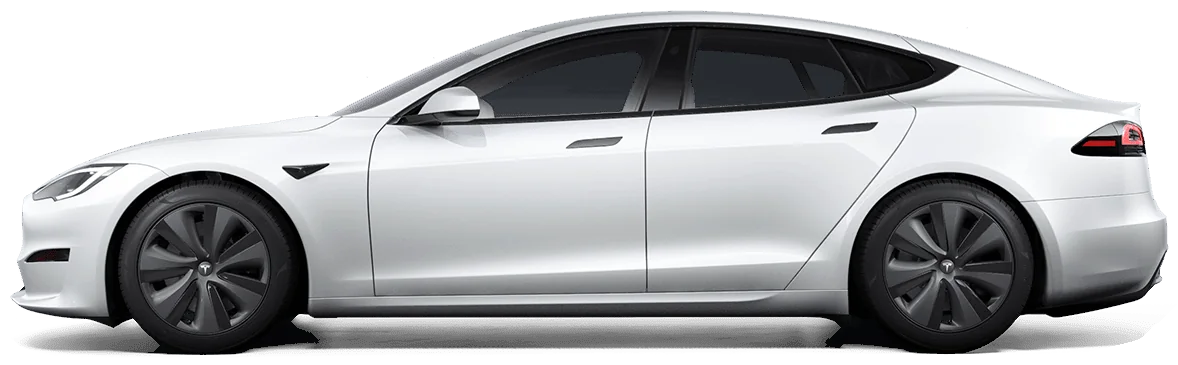
What you can ask (sample answers)
Three questions you might ask Grok, and what AskMyEV sends back. These numbers are sample data from our reviewer demo account (a sample Model 3, not a real car). With your own Tesla you get your car's numbers, and Grok puts them in its own words.
“How's my battery health?”
Worked out from the car's rated range at its charge level. An estimate, not a Tesla diagnostic.
“Are my tires OK?”
In psi. The rear left dropped from 42.1 to about 37 over the last 5 days, which can mean a slow leak. Check it against the door placard.
“Any Tesla alerts this week?”
- Active TPMS_a183_lowPressureRL (low pressure, rear left, since yesterday)
- Cleared VCFRONT_a192_lowVoltageBattery (low-voltage battery, 3 weeks ago, lasted a day)
Each alert comes with a link to Tesla's public Service Manual for your model.
These are real AskMyEV results from the demo account, shown as simple cards rather than a screenshot of a chat.
Before you start
| Grok plan | Works? | Notes |
|---|---|---|
| Free, SuperGrok | Yes | Connectors are available to all Grok users. |
| Grok Business, Enterprise | Yes | A team admin adds AskMyEV first in the xAI console (Grok Business → Connectors → Add Connector → Other). Then you connect it on grok.com/connectors. |
You also need the Tesla account that owns the car. It's easiest on a computer.
Part A
Add AskMyEV in Grok
- Open Connectors. Go to grok.com/connectors.
- Add a custom connector. Click New Connector, then Custom.
- Paste the URL and connect. Paste the MCP server URL
https://askmyev.com/mcp, name it AskMyEV if asked, choose sign-in (OAuth) if asked, and connect. AskMyEV's setup opens (Part B).
Part B
Connect your Tesla (AskMyEV's screens)
Every screen is explained in What happens after you add AskMyEV.
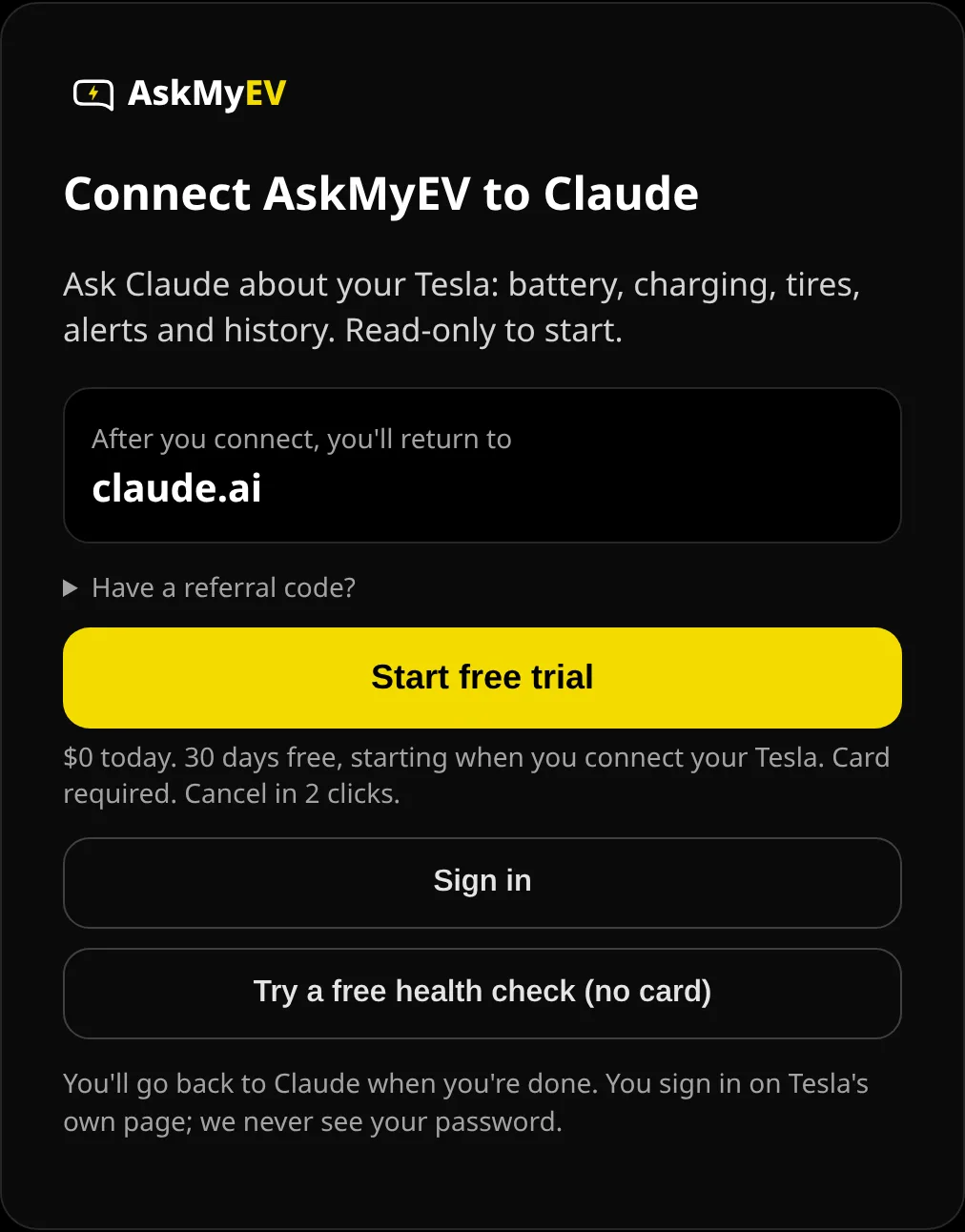
- Tap Start my free month (or Sign in). Grok opens AskMyEV's Connect AskMyEV to Grok screen. Check the app name you'll return to, then tap Start my free month. Already have an AskMyEV account? Tap Sign in.
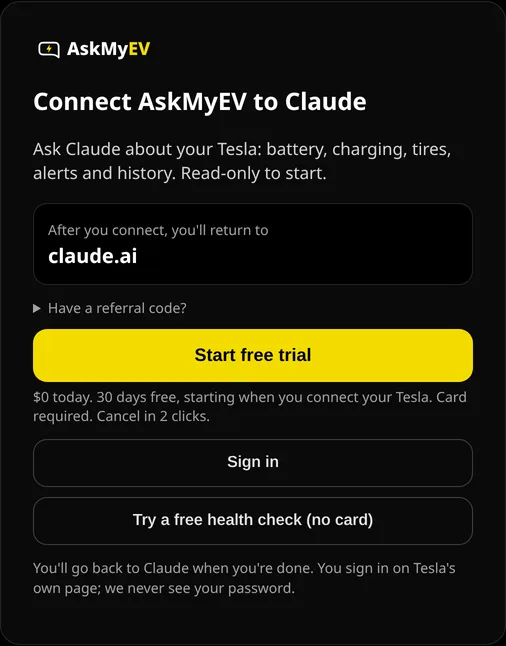
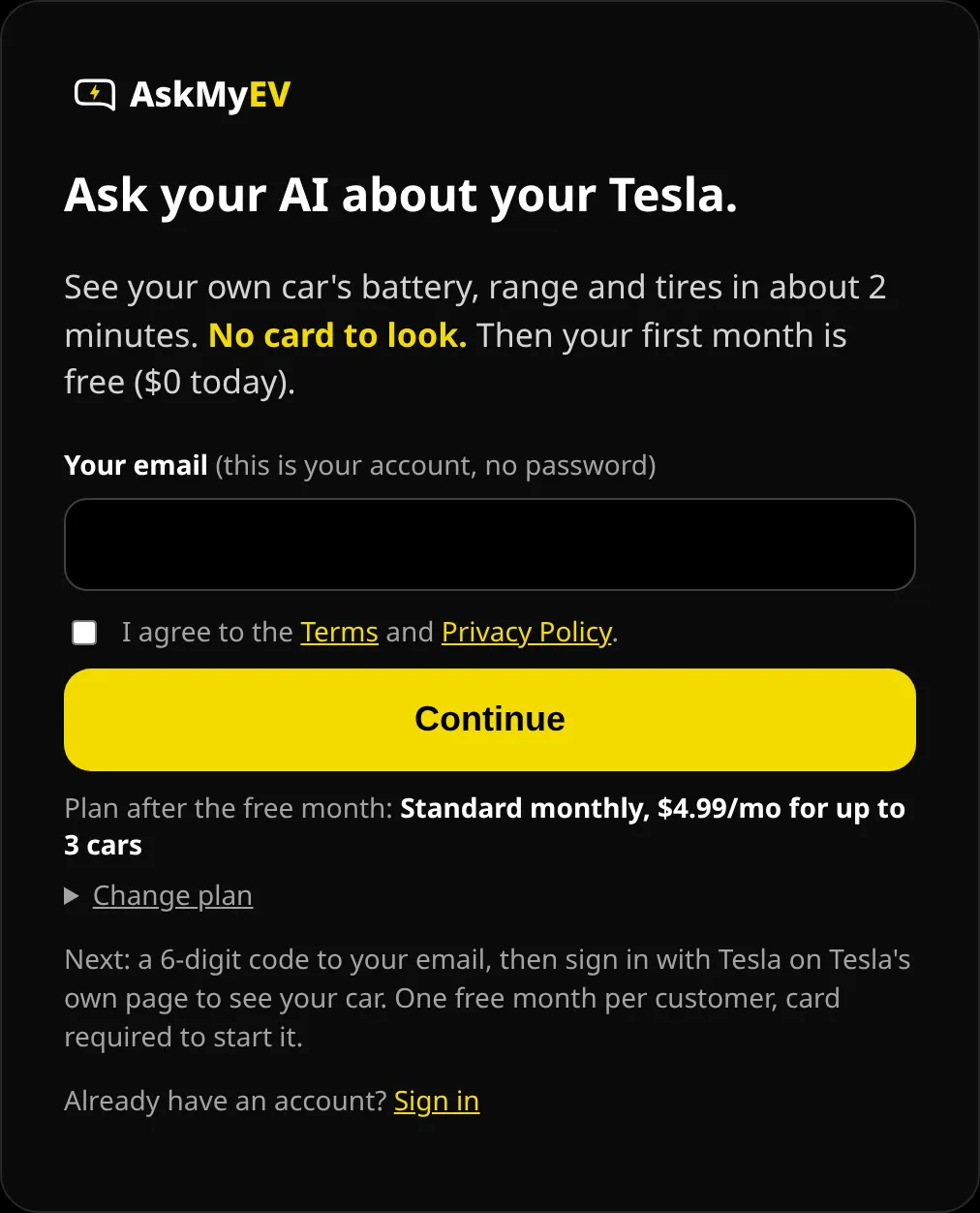
Example screen from a test account. Have a referral code? Open Have a referral code? first. - Enter your email. Enter your email, agree to the Terms and tap Continue. Standard monthly ($4.99/mo after the free month, up to 3 cars) is picked for you; tap Change plan for yearly or Fleet. We email you a 6-digit code; type it in, or tap the link in the email. There's no password and no card yet.
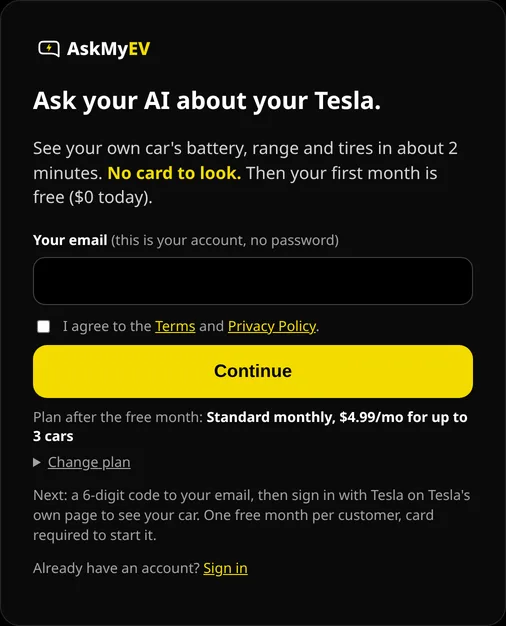
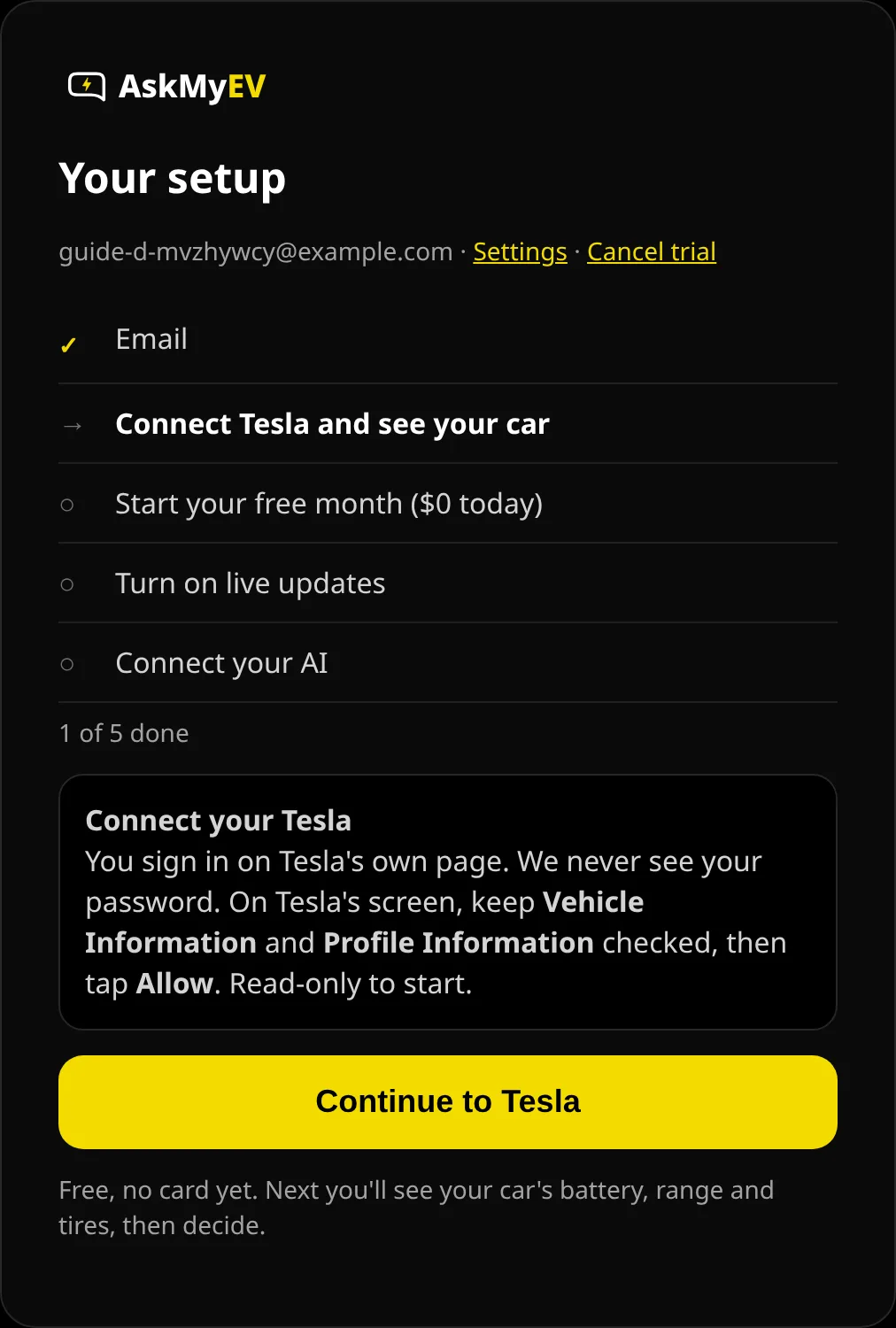
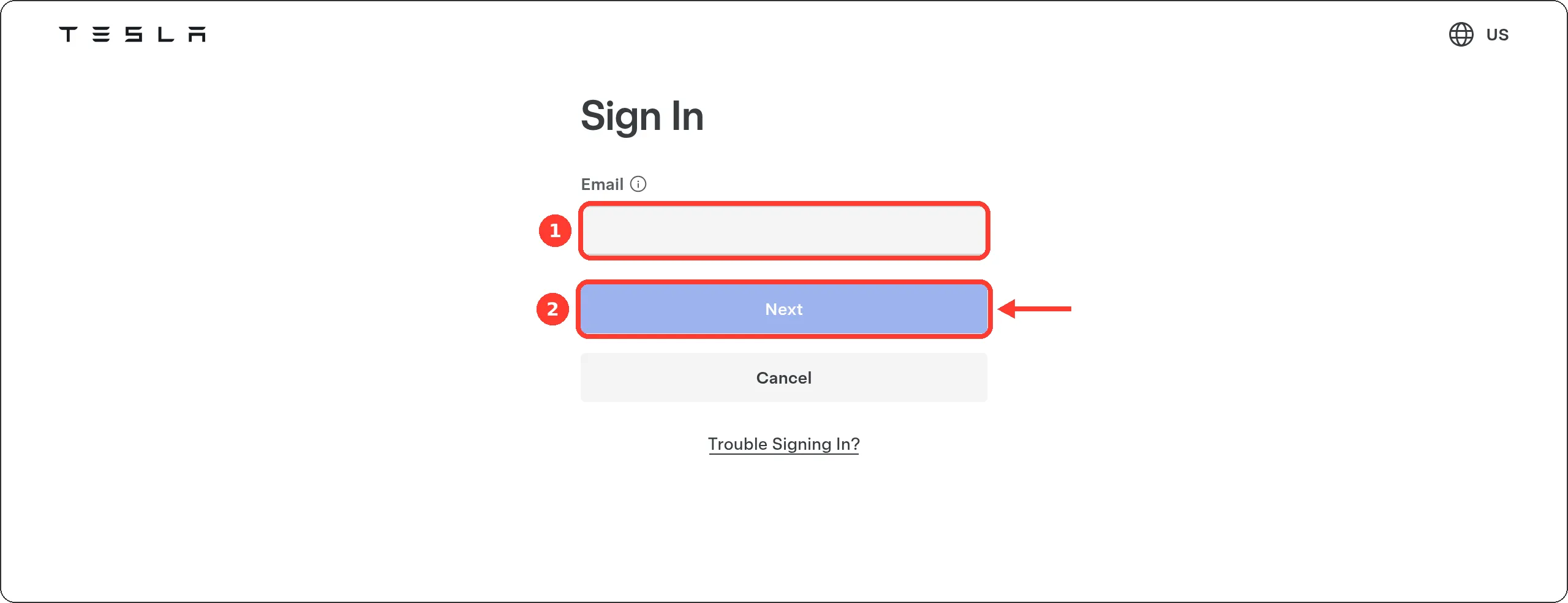
Example screen from a test account. - Connect your Tesla (free, no card yet). Tap Continue to Tesla. Tesla's own sign-in page opens (auth.tesla.com); AskMyEV never sees your password. Leave Vehicle Information and Profile Information checked and tap Allow. That's read-only.
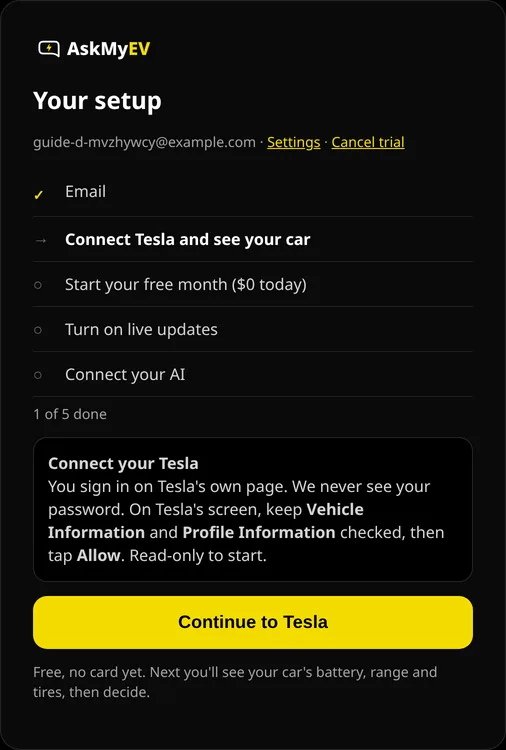
Example screen from a test account. 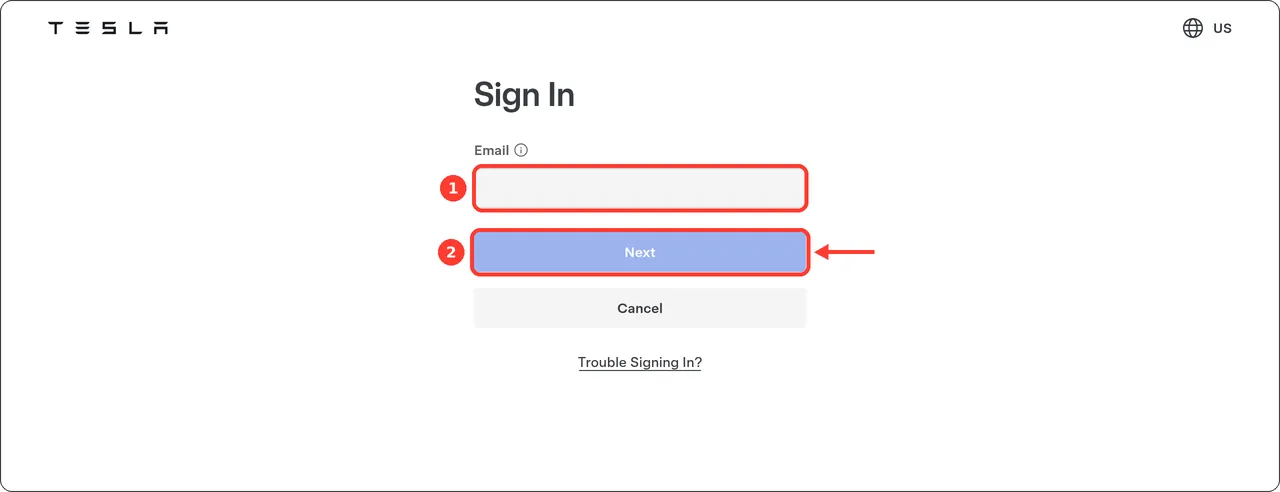
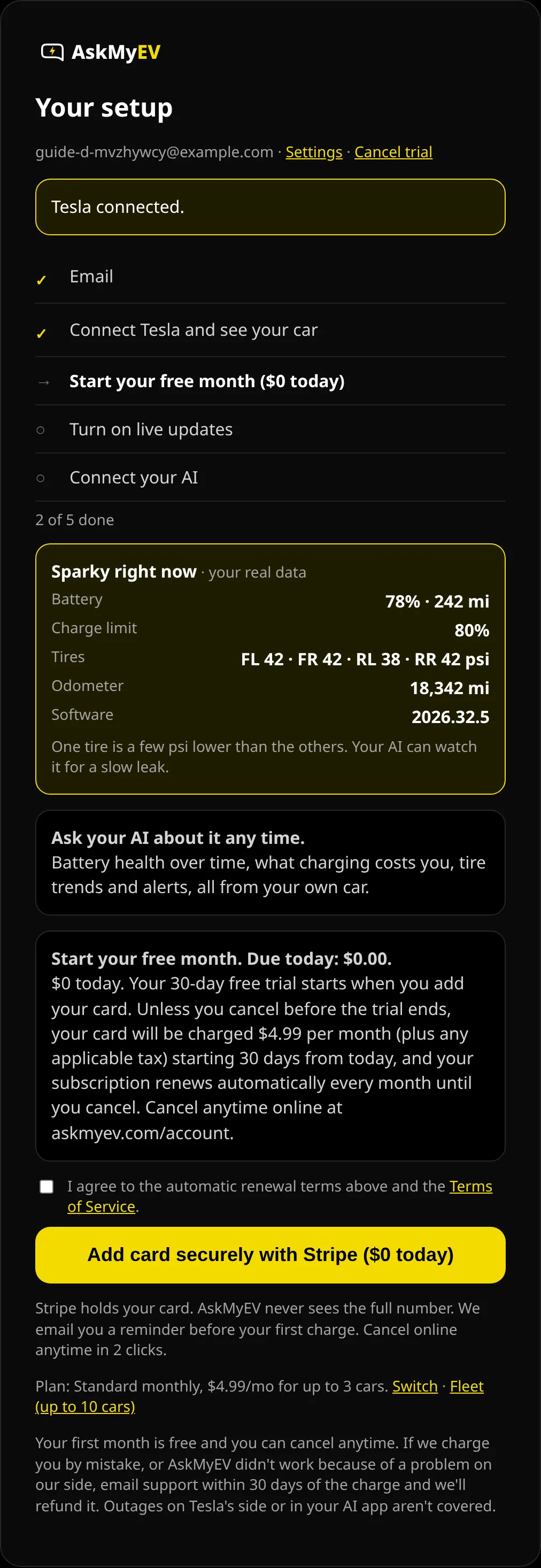
Tesla's page (tesla.com), screenshot October 2026. We can't show Tesla's permission screen; it needs a real Tesla account. - See your car, then start your free month ($0 today). AskMyEV shows your car's battery, range, charge limit and tire pressures from your own data (if the car is asleep we say so; we never wake it). Like it? Read the renewal terms, tick the box and tap Add card securely with Stripe ($0 today). Your 30-day free trial starts when you add your card. One free trial per customer.
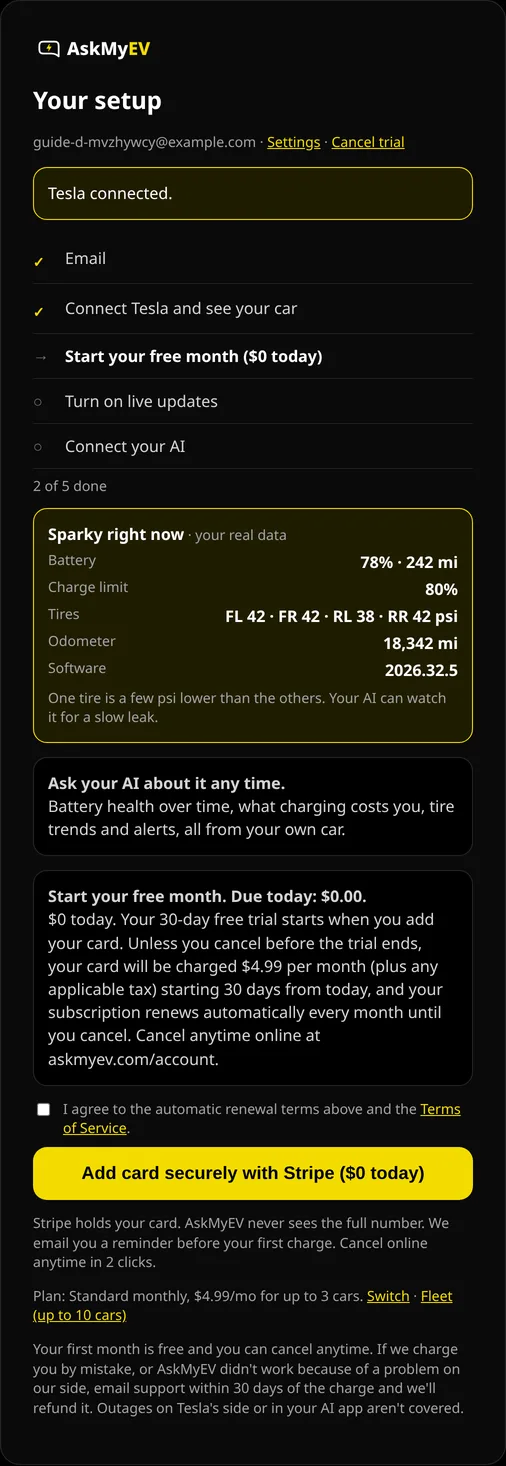
Example screen from a test account. The car numbers are sample data. - Choose optional features, or leave them off. Car location, Car controls and Remote start are all off. Leave them off, or choose On and tick its box, then tap Save features. If you turned something on, Tesla asks once more for that permission. Turned on car controls? Next you add AskMyEV's key to your car.

Example screen from a test account. - Go back to ${app}. Tap Finish and go back to Grok. Then ask: “What's my battery level?” If Grok says it isn't connected, add AskMyEV there again; it's one tap now.
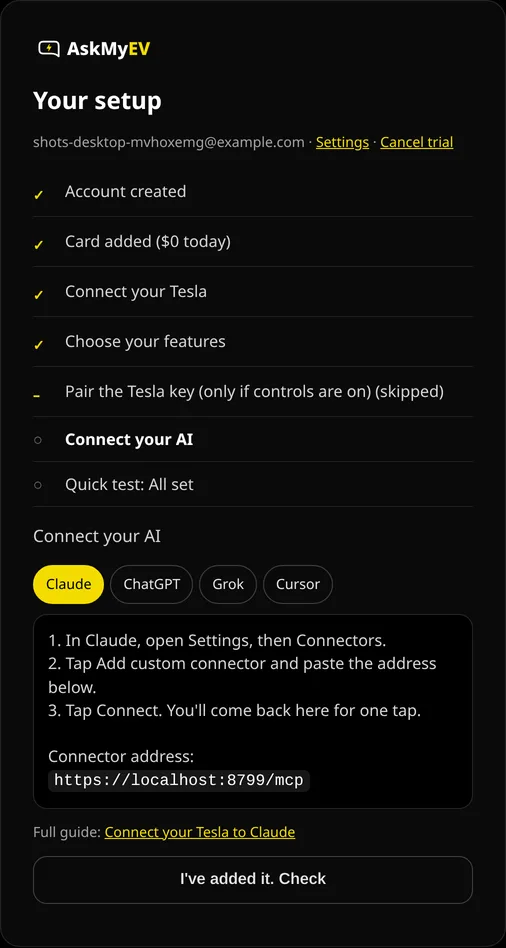
Example screen from a test account.

Part C
Use it
Just ask in any Grok chat, for example “How's my Tesla's battery?”. Grok uses your connectors when they fit the question.
On your phone
In the Grok app, tap +, then Connectors, then Add Connector. If you don't see a custom option there, add AskMyEV at grok.com/connectors in your phone's browser. Connectors on your Grok account work everywhere you sign in.
Grok in your Tesla
Tesla says connectors are set up on your phone or computer, not the car's screen, and that Grok in the car uses them when the car is signed in to the same Grok account. Tesla lists these requirements:
- A car with an AMD processor (Controls → Software → Additional Vehicle Information).
- Vehicle software 2026.26 or later.
- Premium Connectivity or Wi-Fi.
- Signed in to Grok in the car: open Grok on the touchscreen, tap Sign In, and finish on your phone.
| Grok on the touchscreen | Grok + AskMyEV | |
|---|---|---|
| Battery health trend | No | Yes (history on paid plans) |
| Alert history and explanations | No | Yes, with Tesla Service Manual links |
| Charging cost by month | No | Yes |
First questions to ask
- “How's my Tesla's battery health?”
- “Is my car ready for a 200-mile trip tomorrow?”
- “Any Tesla alerts this week? What do they mean?”
- “What did charging cost me last month?”
- “Run my Tesla health check.”
More in the AskMyEV prompt library.
Troubleshooting
- No Custom option: on Grok Business or Enterprise, ask your team admin to add AskMyEV in the console first.
- Grok doesn't use AskMyEV: check it shows as connected on grok.com/connectors, then ask about “my Tesla”.
- Tesla's page shows an error: close it and connect again from grok.com/connectors.
- “Can't reach my car”: the car may be asleep or offline. Ask again in a minute, or ask for the last saved data.
Manage or disconnect
- In your AI app: grok.com/connectors, select AskMyEV and remove it.
- At Tesla: revoke AskMyEV in your Tesla account's third-party apps (Profile, Security, Third-party apps). If you added AskMyEV's key, you can delete it on the car's touchscreen under Controls, Locks.
- Your plan: askmyev.com/account to cancel, change settings or delete your account. Cancel during the trial and you're never charged.
Is it safe?
- Off unless you turn it on. AskMyEV reads data by default. Location, car controls and remote start are off until you opt in once, during setup or on your Account page. Commands then run when you ask, with limits and no codes, and a feature may pause if use looks unusual.
- Official login. It uses Tesla's official Fleet API for third-party apps; you sign in on Tesla's page.
- No location history. If you turn location on, it is looked up live to answer a question. We don't save the coordinates.
- Battery-friendly. It doesn't wake a sleeping car unless you ask, with a cap of 1 wake-up per day for your account (3 on Fleet).
- Revocable. Remove the connector in your AI app, and revoke AskMyEV in your Tesla account's third-party apps.
Last checked October 18, 2026 against xAI's Grok docs and Tesla's Grok support page. We couldn't screenshot Grok's own screens, so those steps are text. The pictures show AskMyEV's screens (test account, example data) and Tesla's public pages. Menus change; if yours looks different, email support@askmyev.com.
Grok + your EV: common questions
Can Grok tell me my Tesla's battery health?
Yes, once AskMyEV is connected. Ask “How's my battery health?” and Grok can use AskMyEV's battery trend and health check, which estimate range at 100% from your car's rated range and charge level. It's an estimate, not a Tesla diagnostic.
Why did I lose range, and can Grok show me?
Grok can look at AskMyEV's saved history for your car: battery level, rated range, outside temperature and charging over time, plus your estimated range at 100% by month. That helps you tell a cold snap or a lower charge limit apart from a slow long-term trend.
Can Grok see my charging?
Yes. It can read live charging status and your charge limit, and the charging sessions AskMyEV infers from your saved data (when the battery level went up and by how much).
What do my Tesla alerts mean?
Ask Grok “Any Tesla alerts this week?”. AskMyEV records your car's Tesla alerts and gives Grok a link to Tesla's public Service Manual for each one. These are Tesla's alerts, not full diagnostic trouble codes.
Is it read-only? What about my privacy?
AskMyEV reads data by default. Location, car controls and remote start stay off until you turn them on yourself, during setup or on your Account page. You sign in on Tesla's own page, so AskMyEV never sees your Tesla password, and it doesn't save your car's coordinates.
How much does it cost?
Your first month is free for new customers (card required, $0 today, one trial per customer). Then $4.99/mo for up to 3 cars ($39/yr), or Fleet $9.99/mo for up to 10 ($89/yr). Grok itself works on every plan, including Free.
How do I cancel?
Cancel anytime online at askmyev.com/account. If you cancel during the free month you aren't charged, and you keep access until the trial ends. To disconnect too, remove AskMyEV at grok.com/connectors and revoke it in your Tesla account's third-party apps.
Is this the same as Grok in my Tesla?
No. Grok in the car is the assistant built into the touchscreen. AskMyEV connects your car's data to your Grok account so Grok can answer questions about battery health, charging and alerts.
Ask your own Tesla, in the AI you already use
Read-only by default, set up in about 3 minutes. Your first month is free (card required, $0 today, cancel anytime). Then $4.99/mo for up to 3 cars, or Fleet $9.99/mo for up to 10.
 Add to ChatGPT
 Add to Claude
 Add to Grok
 Add to Cursor